More browsing paths
Play Shougi no Tatsujin - Master of Shougi (English) Online
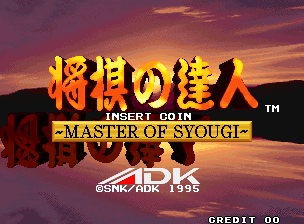
Shougi no Tatsujin - Master of Shougi
Play Shougi no Tatsujin - Master of Shougi online. Choose standard or hasami shogi and use the available guidance or handicap settings to match your experience.
Browser play
Arcade — EmulatorJS controls
Default Player 1 keyboard mapping. Change keys in Controller Settings.
| Console button | Keyboard |
|---|---|
| ↑ / ↓ / ← / → | ↑ / ↓ / ← / → |
| RetroPad A / B / X / Y | Z / X / A / S |
| L / R | Q / E |
| Insert coin | V |
| START | Enter |
Open Controller Settings to configure your keyboard or gamepad. Touch controls are available on mobile.
How to Play Shougi no Tatsujin - Master of Shougi
Quick start
- Mueve el cursor con la palanca hasta la pieza elegida.
- Pulsa A para tomarla.
- Señala la posición de destino y pulsa A para colocarla.
- Usa B para cancelar una selección.
Controls
Palanca: mover el cursor. A: tomar/colocar una pieza. B: cancelar.
Shougi no Tatsujin - Master of Shougi — About this game
Master of Shougi presents a tournament against computer opponents, each represented by a photographic portrait. Its standard shogi game shares space with the simpler hasami shogi, giving players two ways to approach the board. Beginner guidance and handicap settings offer ways to adjust the challenge before confronting stronger play. The regular game centres on the Japanese board-game contest, while a second human player can take the opposing side for a direct match instead of following the computer tournament.
Cheats
No cheats have been added for this edition.
Player verification and sources
Browser play was reviewed before this edition was published in the catalogue. The date below is the catalogue publication date, not the game’s original release date.
- Browser test and catalogue publication date
- Browsers and devices
- PC: Chrome, Edge and Firefox. Mobile: Chrome on Android and Safari on iPhone and iPad.
- Player engine and core
- EmulatorJS 4.3.0-pre · arcade
- Tested by
- rwEmulator
Sources and editorial basis
rwEmulator reviews edition metadata, release information, game manuals and first-hand browser-play notes. Available manuals are linked below; the editorial policy explains how facts are checked and corrections are handled.