More browsing paths
Play Mouser (English) Online
Mouser
Play Mouser online. Catch the blue mice to complete the ladder, then climb to rescue the captive cat.
Browser play
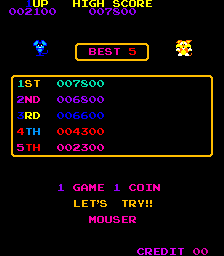
Arcade — EmulatorJS controls
Default Player 1 keyboard mapping. Change keys in Controller Settings.
| Console button | Keyboard |
|---|---|
| ↑ / ↓ / ← / → | ↑ / ↓ / ← / → |
| RetroPad A / B / X / Y | Z / X / A / S |
| L / R | Q / E |
| Insert coin | V |
| START | Enter |
Open Controller Settings to configure your keyboard or gamepad. Touch controls are available on mobile.
How to Play Mouser
Quick start
- Move between the platforms using the available ladders.
- Touch blue mice to catch them.
- Jump over hostile objects and avoid the dangerous mice.
- Climb the completed ladder to reach the captive.
Controls
Directional control: move and climb ladders. Jump action: leap over hazards. Touch blue mice to capture them; the other mice and their attacks are dangerous.
Mouser — About this game
Mouser puts a cat at the foot of a house where mice have taken his sweetheart. Catching blue mice supplies the missing ladder needed to reach the upper floor, so simply climbing as high as possible does not complete the rescue. Hostile mice throw objects across the platforms, making jumping and a clear route between ladders essential. Fish provide an extra scoring opportunity, but the main task remains catching enough blue mice and reaching the captive at the top.
Cheats
No cheats have been added for this edition.
Player verification and sources
Browser play was reviewed before this edition was published in the catalogue. The date below is the catalogue publication date, not the game’s original release date.
- Browser test and catalogue publication date
- Browsers and devices
- PC: Chrome, Edge and Firefox. Mobile: Chrome on Android and Safari on iPhone and iPad.
- Player engine and core
- EmulatorJS 4.3.0-pre · arcade
- Tested by
- rwEmulator
Sources and editorial basis
rwEmulator reviews edition metadata, release information, game manuals and first-hand browser-play notes. Available manuals are linked below; the editorial policy explains how facts are checked and corrections are handled.