More browsing paths
Play Moon Patrol (Williams) (English) Online
Moon Patrol (Williams)
Play Moon Patrol (Williams) online. Adjust speed, jump the lunar pits and fire forward and upward together on the checkpoint run.
Browser play
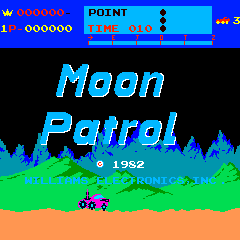
Arcade — EmulatorJS controls
Default Player 1 keyboard mapping. Change keys in Controller Settings.
| Console button | Keyboard |
|---|---|
| ↑ / ↓ / ← / → | ↑ / ↓ / ← / → |
| RetroPad A / B / X / Y | Z / X / A / S |
| L / R | Q / E |
| Insert coin | V |
| START | Enter |
Open Controller Settings to configure your keyboard or gamepad. Touch controls are available on mobile.
How to Play Moon Patrol (Williams)
Quick start
- Use Left/Right to adjust the buggy’s speed.
- Fire at a rock while covering the sky.
- Time a jump across the next pit.
- Watch the warning lights before the next section.
Controls
The buggy advances automatically. Left slows it and Right accelerates it. Jump clears ground hazards; Fire shoots forward and upward simultaneously. Adjust speed before a jump because faster travel produces a longer leap.
Moon Patrol (Williams) — About this game
Moon Patrol (Williams) gives the continuously advancing buggy separate tools for surface and aerial danger. A single firing action shoots forward and upward together, while jumping clears pits and other obstacles. Adjusting speed changes the reach and timing of those jumps. Lettered checkpoints divide the course, with warning lights announcing air attacks, mines and enemies approaching from behind.
Cheats
No cheats have been added for this edition.
Player verification and sources
Browser play was reviewed before this edition was published in the catalogue. The date below is the catalogue publication date, not the game’s original release date.
- Browser test and catalogue publication date
- Browsers and devices
- PC: Chrome, Edge and Firefox. Mobile: Chrome on Android and Safari on iPhone and iPad.
- Player engine and core
- EmulatorJS 4.3.0-pre · arcade
- Tested by
- rwEmulator
Sources and editorial basis
rwEmulator reviews edition metadata, release information, game manuals and first-hand browser-play notes. Available manuals are linked below; the editorial policy explains how facts are checked and corrections are handled.