More browsing paths
Play Neo 2500 Demo Online
Neo 2500 Demo
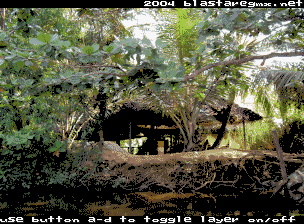
Play Neo 2500 Demo online. Run this exact Neo Geo demonstration build and inspect its available presentation or interaction.
Browser play
Arcade — EmulatorJS controls
Default Player 1 keyboard mapping. Change keys in Controller Settings.
| Console button | Keyboard |
|---|---|
| ↑ / ↓ / ← / → | ↑ / ↓ / ← / → |
| RetroPad A / B / X / Y | Z / X / A / S |
| L / R | Q / E |
| Insert coin | V |
| START | Enter |
Open Controller Settings to configure your keyboard or gamepad. Touch controls are available on mobile.
How to Play Neo 2500 Demo
Quick start
- Start the registered demonstration build.
- Allow its presentation or opening screen to appear.
- Observe each available effect, scene or interactive response.
- Use an input only when the build visibly offers or reacts to it.
Controls
Use the standard four-way joystick and Neo Geo Buttons A, B, C and D only when the demo visibly responds to them; no unsupported finished-game action map is assigned.
Neo 2500 Demo — About this game
Neo 2500 Demo is registered as a Neo Geo demonstration build rather than a documented completed commercial game. It preserves a specific homebrew or technical work for the target arcade hardware. Start the build, observe its available presentation and test only the interactions that produce a visible response. Because the exact source record does not publish a finished action guide, no stages, win condition or individual button function is invented for this version.
Cheats
No cheats have been added for this edition.
Player verification and sources
Browser play was reviewed before this edition was published in the catalogue. The date below is the catalogue publication date, not the game’s original release date.
- Browser test and catalogue publication date
- Browsers and devices
- PC: Chrome, Edge and Firefox. Mobile: Chrome on Android and Safari on iPhone and iPad.
- Player engine and core
- EmulatorJS 4.3.0-pre · arcade
- Tested by
- rwEmulator
Sources and editorial basis
rwEmulator reviews edition metadata, release information, game manuals and first-hand browser-play notes. Available manuals are linked below; the editorial policy explains how facts are checked and corrections are handled.