More browsing paths
Play Chaos Demo (Neo Geo) Online
Chaos Demo (Neo Geo)
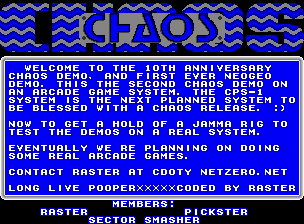
Play Chaos Demo (Neo Geo) online. Explore Charles Doty’s Neo Geo technical demonstration, cited as a programming reference by other developers.
Browser play
Arcade — EmulatorJS controls
Default Player 1 keyboard mapping. Change keys in Controller Settings.
| Console button | Keyboard |
|---|---|
| ↑ / ↓ / ← / → | ↑ / ↓ / ← / → |
| RetroPad A / B / X / Y | Z / X / A / S |
| L / R | Q / E |
| Insert coin | V |
| START | Enter |
Open Controller Settings to configure your keyboard or gamepad. Touch controls are available on mobile.
How to Play Chaos Demo (Neo Geo)
Quick start
- Start the technical demonstration.
- Observe each graphics or programming effect.
- Allow the sequence to continue to the next example.
- Use an available input only when the demo visibly responds to it.
Controls
The Neo Geo registration exposes a four-way joystick and Buttons A, B, C and D. This is a programming demonstration, so no unsupported gameplay role is assigned to the buttons.
Chaos Demo (Neo Geo) — About this game
Chaos Demo (Neo Geo) is Neo Geo homebrew work credited to Charles Doty. Its code became a learning reference for other Neo Geo developers, including the author of ngdevkit, who used it to understand starting the machine and working with sprites. Its documented role is a technical demonstration within the homebrew scene.
Cheats
No cheats have been added for this edition.
Player verification and sources
Browser play was reviewed before this edition was published in the catalogue. The date below is the catalogue publication date, not the game’s original release date.
- Browser test and catalogue publication date
- Browsers and devices
- PC: Chrome, Edge and Firefox. Mobile: Chrome on Android and Safari on iPhone and iPad.
- Player engine and core
- EmulatorJS 4.3.0-pre · arcade
- Tested by
- rwEmulator
Sources and editorial basis
rwEmulator reviews edition metadata, release information, game manuals and first-hand browser-play notes. Available manuals are linked below; the editorial policy explains how facts are checked and corrections are handled.