More browsing paths
Play Peggle (Joystick, v1.0) (Revision 1.0 · English) Online
Peggle (Joystick, v1.0)
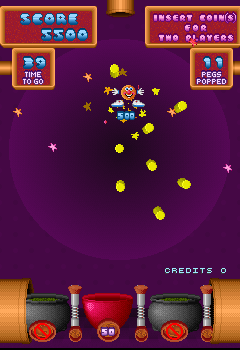
Play Peggle (Joystick, v1.0) online. Move the pegboard and bottom cars to clear pegs and catch useful rebound landings.
Browser play
Arcade — EmulatorJS controls
Default Player 1 keyboard mapping. Change keys in Controller Settings.
| Console button | Keyboard |
|---|---|
| ↑ / ↓ / ← / → | ↑ / ↓ / ← / → |
| RetroPad A / B / X / Y | Z / X / A / S |
| L / R | Q / E |
| Insert coin | V |
| START | Enter |
Open Controller Settings to configure your keyboard or gamepad. Touch controls are available on mobile.
How to Play Peggle (Joystick, v1.0)
Quick start
- Move Left/Right as the character falls.
- Bring a useful peg into its path.
- Position a bottom car beneath the landing.
- Use a bounce car to send it back toward remaining pegs.
Controls
Use Left/Right to shift the peg arrangement and the cars along the bottom. Bring pegs into the falling character’s route and position a catch or bounce car beneath it.
Peggle (Joystick, v1.0) — About this game
Peggle (Joystick, v1.0) drops its ball-like character through a field of pegs, removing them through contact. The same horizontal control changes the peg arrangement and moves the cars along the bottom. A landing may award points or time, while a bounce car sends the character back up for further hits. Clearing the remaining pegs requires useful rebounds as well as a good place to land.
Cheats
No cheats have been added for this edition.
Player verification and sources
Browser play was reviewed before this edition was published in the catalogue. The date below is the catalogue publication date, not the game’s original release date.
- Browser test and catalogue publication date
- Browsers and devices
- PC: Chrome, Edge and Firefox. Mobile: Chrome on Android and Safari on iPhone and iPad.
- Player engine and core
- EmulatorJS 4.3.0-pre · arcade
- Tested by
- rwEmulator
Sources and editorial basis
rwEmulator reviews edition metadata, release information, game manuals and first-hand browser-play notes. Available manuals are linked below; the editorial policy explains how facts are checked and corrections are handled.