More browsing paths
Play Pinbo (set 2) (English) Online
Pinbo (set 2)
Play Pinbo (set 2) online. Keep the ball in play and complete JALECO to reach the changing bonus games.
Browser play
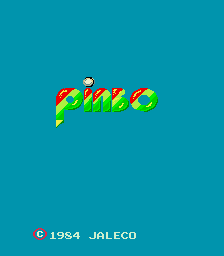
Arcade — EmulatorJS controls
Default Player 1 keyboard mapping. Change keys in Controller Settings.
| Console button | Keyboard |
|---|---|
| ↑ / ↓ / ← / → | ↑ / ↓ / ← / → |
| RetroPad A / B / X / Y | Z / X / A / S |
| L / R | Q / E |
| Insert coin | V |
| START | Enter |
Open Controller Settings to configure your keyboard or gamepad. Touch controls are available on mobile.
How to Play Pinbo (set 2)
Quick start
- Use the flipper beneath the approaching ball.
- Aim for a letter target.
- Hit moving creatures for points.
- Complete JALECO to trigger a bonus game.
Controls
Use Left Flipper and Right Flipper to return the ball toward the targets. Complete the JALECO letters for a minigame; follow the changed playfield when a bonus changes the normal pinball action.
Pinbo (set 2) — About this game
Pinbo (set 2) surrounds its pinball action with moving creatures and changing bonus attractions. The ball can squash creatures for points, while completing the JALECO letters opens a minigame. Some bonuses reshape play into baseball or basketball; another allows the flippers to move freely. Keeping the ordinary ball alive remains necessary between these short diversions.
Cheats
No cheats have been added for this edition.
Player verification and sources
Browser play was reviewed before this edition was published in the catalogue. The date below is the catalogue publication date, not the game’s original release date.
- Browser test and catalogue publication date
- Browsers and devices
- PC: Chrome, Edge and Firefox. Mobile: Chrome on Android and Safari on iPhone and iPad.
- Player engine and core
- EmulatorJS 4.3.0-pre · arcade
- Tested by
- rwEmulator
Sources and editorial basis
rwEmulator reviews edition metadata, release information, game manuals and first-hand browser-play notes. Available manuals are linked below; the editorial policy explains how facts are checked and corrections are handled.