More browsing paths
Play Pollux (set 3) (English) Online
Pollux (set 3)
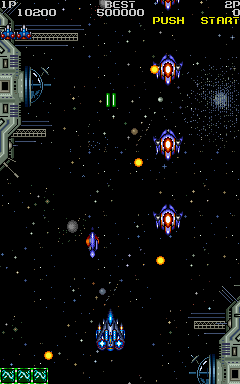
Play Pollux (set 3) online. Choose useful weapon pickups and use a bomb when the next wave threatens the fighter.
Browser play
Arcade — EmulatorJS controls
Default Player 1 keyboard mapping. Change keys in Controller Settings.
| Console button | Keyboard |
|---|---|
| ↑ / ↓ / ← / → | ↑ / ↓ / ← / → |
| RetroPad A / B / X / Y | Z / X / A / S |
| L / R | Q / E |
| Insert coin | V |
| START | Enter |
Open Controller Settings to configure your keyboard or gamepad. Touch controls are available on mobile.
How to Play Pollux (set 3)
Quick start
- Shoot the opening enemy wave.
- Collect a P upgrade.
- Compare a new weapon pattern with the forward shot.
- Use Bomb when a crowded approach becomes dangerous.
Controls
Move with the joystick and use Shot and Bomb. Collect P for stronger fire, A for autofire, S for speed, B for another bomb and U for an extra life. Weapon symbols change the firing pattern.
Pollux (set 3) — About this game
Pollux (set 3) supplies its fighter with distinct weapon patterns during the attack on a hostile space station. Twin lasers concentrate fire ahead, another pattern spreads the attack, and the rear-firing beam covers pursuers. Lettered pickups improve firepower, add autofire or speed, replenish bombs and award extra lives. Choosing a weapon pattern changes the direction that can be protected during the next enemy wave.
Cheats
No cheats have been added for this edition.
Player verification and sources
Browser play was reviewed before this edition was published in the catalogue. The date below is the catalogue publication date, not the game’s original release date.
- Browser test and catalogue publication date
- Browsers and devices
- PC: Chrome, Edge and Firefox. Mobile: Chrome on Android and Safari on iPhone and iPad.
- Player engine and core
- EmulatorJS 4.3.0-pre · arcade
- Tested by
- rwEmulator
Sources and editorial basis
rwEmulator reviews edition metadata, release information, game manuals and first-hand browser-play notes. Available manuals are linked below; the editorial policy explains how facts are checked and corrections are handled.