More browsing paths
Play Progress (English) Online
Progress
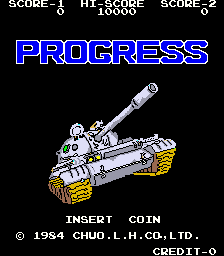
Play Progress online. Drive a tank with separate bullet and aimed-missile attacks, locking a target while avoiding collisions.
Browser play
Arcade — EmulatorJS controls
Default Player 1 keyboard mapping. Change keys in Controller Settings.
| Console button | Keyboard |
|---|---|
| ↑ / ↓ / ← / → | ↑ / ↓ / ← / → |
| RetroPad A / B / X / Y | Z / X / A / S |
| L / R | Q / E |
| Insert coin | V |
| START | Enter |
Open Controller Settings to configure your keyboard or gamepad. Touch controls are available on mobile.
How to Play Progress
Quick start
- Learn the ordinary bullet and missile attacks.
- Position the missile crosshair on a target.
- Use the lock action to keep that target.
- Retreat from another hit if the tank catches fire.
Controls
The first action fires bullets, the second launches missiles and the third locks the aimed missile target. The directional control manoeuvres the tank.
Progress — About this game
Progress divides its tank’s weapons between ordinary bullets and aimed missiles. A crosshair selects the missile target, with a third action locking that aim while enemy vehicles attack from different directions. The first projectile hit sets the tank on fire; another hit or a collision destroys it. Hidden tanks offer brief invulnerability, and concealed gun emplacements can emerge along the route. Learn the aiming lock before approaching a turret, then leave room to evade rather than treating the first surviving hit as permission to push through the next enemy.
Cheats
No cheats have been added for this edition.
Player verification and sources
Browser play was reviewed before this edition was published in the catalogue. The date below is the catalogue publication date, not the game’s original release date.
- Browser test and catalogue publication date
- Browsers and devices
- PC: Chrome, Edge and Firefox. Mobile: Chrome on Android and Safari on iPhone and iPad.
- Player engine and core
- EmulatorJS 4.3.0-pre · arcade
- Tested by
- rwEmulator
Sources and editorial basis
rwEmulator reviews edition metadata, release information, game manuals and first-hand browser-play notes. Available manuals are linked below; the editorial policy explains how facts are checked and corrections are handled.