More browsing paths
Play Qix (Rev 2) (Revision 2 · English) Online
Qix (Rev 2)
Play Qix (Rev 2) online. Close shapes to claim territory while keeping the unfinished line away from the Qix.
Browser play
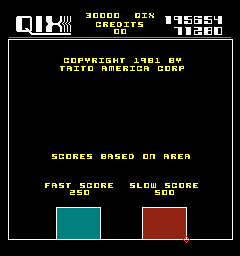
Arcade — EmulatorJS controls
Default Player 1 keyboard mapping. Change keys in Controller Settings.
| Console button | Keyboard |
|---|---|
| ↑ / ↓ / ← / → | ↑ / ↓ / ← / → |
| RetroPad A / B / X / Y | Z / X / A / S |
| L / R | Q / E |
| Insert coin | V |
| START | Enter |
Open Controller Settings to configure your keyboard or gamepad. Touch controls are available on mobile.
How to Play Qix (Rev 2)
Quick start
- Move along the safe boundary.
- Hold a drawing action and enter the open area.
- Reach another boundary to close the shape.
- Repeat until the territory target is reached.
Controls
Move with the four-way joystick. Hold Fast Draw or Slow Draw while entering the open playfield; slow drawing awards more points. Close the line at a boundary, avoid the Qix and keep moving while drawing to stay ahead of the fuse.
Qix (Rev 2) — About this game
Qix (Rev 2) challenges the marker to claim areas by drawing lines into an open playfield. Closing a shape fills it, but the moving Qix can destroy an unfinished line. Fast and slow drawing trade safety against reward, with slow claims worth more points. Sparx patrol the existing boundary, and stopping during a drawing attempt lets a fuse approach the marker. Reaching the configured territory target clears the stage.
Qix (Rev 2) Game manuals
Cheats
No cheats have been added for this edition.
Player verification and sources
Browser play was reviewed before this edition was published in the catalogue. The date below is the catalogue publication date, not the game’s original release date.
- Browser test and catalogue publication date
- Browsers and devices
- PC: Chrome, Edge and Firefox. Mobile: Chrome on Android and Safari on iPhone and iPad.
- Player engine and core
- EmulatorJS 4.3.0-pre · arcade
- Tested by
- rwEmulator
Sources and editorial basis
rwEmulator reviews edition metadata, release information, game manuals and first-hand browser-play notes. Available manuals are linked below; the editorial policy explains how facts are checked and corrections are handled.