More browsing paths
Play Rack + Roll (English) Online
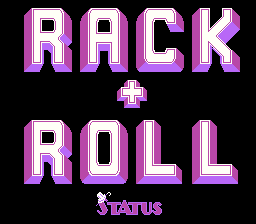
Rack + Roll
Play Rack + Roll online. Pocket every ball, leave the eight ball until last and avoid a third miss.
Browser play
Arcade — EmulatorJS controls
Default Player 1 keyboard mapping. Change keys in Controller Settings.
| Console button | Keyboard |
|---|---|
| ↑ / ↓ / ← / → | ↑ / ↓ / ← / → |
| RetroPad A / B / X / Y | Z / X / A / S |
| L / R | Q / E |
| Insert coin | V |
| START | Enter |
Open Controller Settings to configure your keyboard or gamepad. Touch controls are available on mobile.
How to Play Rack + Roll
Quick start
- Inspect the balls and open pockets.
- Choose a shot that can pocket a ball.
- Reassess the remaining layout after the result.
- Save the eight ball for the final successful shot.
Controls
Use the directional controls to aim and adjust the cue setup. Press Fire 1 to confirm and take the shot. Re-aim after each result before striking the next ball.
Rack + Roll — About this game
Rack + Roll challenges the player to clear a billiard table without a competing opponent. Every ball must be pocketed, with the eight ball reserved for the finish. Missing three times ends the attempt, so a safe scoring opportunity matters more than simply striking another ball. The remaining layout changes which shot can continue the clearance without consuming another miss.
Cheats
Infinite Time
1 "开启", 0, 0x1E88, 0x00Infinite Lives PL1
1 "开启", 0, 0x1E0A, 0x06Infinite Lives PL2
1 "开启", 0, 0x1E0B, 0x06Player verification and sources
Browser play was reviewed before this edition was published in the catalogue. The date below is the catalogue publication date, not the game’s original release date.
- Browser test and catalogue publication date
- Browsers and devices
- PC: Chrome, Edge and Firefox. Mobile: Chrome on Android and Safari on iPhone and iPad.
- Player engine and core
- EmulatorJS 4.3.0-pre · arcade
- Tested by
- rwEmulator
Sources and editorial basis
rwEmulator reviews edition metadata, release information, game manuals and first-hand browser-play notes. Available manuals are linked below; the editorial policy explains how facts are checked and corrections are handled.