More browsing paths
Play Rock Tris (English) Online
Rock Tris
Play Rock Tris online. Arrange falling blocks, clear horizontal lines and keep the playfield open.
Browser play
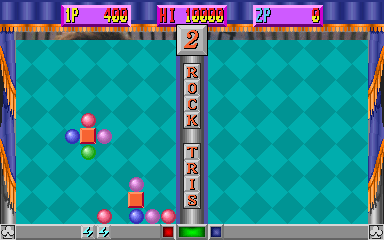
Arcade — EmulatorJS controls
Default Player 1 keyboard mapping. Change keys in Controller Settings.
| Console button | Keyboard |
|---|---|
| ↑ / ↓ / ← / → | ↑ / ↓ / ← / → |
| RetroPad A / B / X / Y | Z / X / A / S |
| L / R | Q / E |
| Insert coin | V |
| START | Enter |
Open Controller Settings to configure your keyboard or gamepad. Touch controls are available on mobile.
How to Play Rock Tris
Quick start
- Inspect the current falling piece and the open spaces below.
- Move it toward a placement that completes a line or match.
- Rotate or cycle it before lowering it into position.
- Keep the stack low and preserve room for the next piece.
Controls
Use Left and Right to position the piece and Down to lower it. Buttons 1 and 2 perform the registered rotations; Up is also present in the exact interface.
Rock Tris — About this game
Rock Tris is a two-player-capable falling-block puzzle registered on Yun Sung hardware. Position and rotate the current piece to complete solid horizontal lines, clear space and prevent the stack from reaching the top of the field. Building a flat surface keeps later placements flexible, while deep uncovered gaps make recovery harder as the pace rises. Each side has directional movement and two registered action buttons.
Cheats
No cheats have been added for this edition.
Player verification and sources
Browser play was reviewed before this edition was published in the catalogue. The date below is the catalogue publication date, not the game’s original release date.
- Browser test and catalogue publication date
- Browsers and devices
- PC: Chrome, Edge and Firefox. Mobile: Chrome on Android and Safari on iPhone and iPad.
- Player engine and core
- EmulatorJS 4.3.0-pre · arcade
- Tested by
- rwEmulator
Sources and editorial basis
rwEmulator reviews edition metadata, release information, game manuals and first-hand browser-play notes. Available manuals are linked below; the editorial policy explains how facts are checked and corrections are handled.