More browsing paths
Play Ryu Jin (Japan, ET910000B PCB) (Japan edition · English) Online
Ryu Jin (Japan, ET910000B PCB)
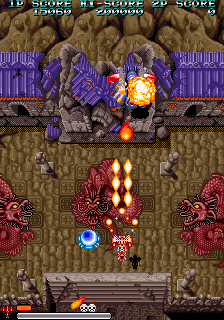
Play Ryu Jin (Japan, ET910000B PCB) online. Charge the main shot and use the bomb action to rotate an equipped Option after the bomb stock is exhausted.
Browser play
Arcade — EmulatorJS controls
Default Player 1 keyboard mapping. Change keys in Controller Settings.
| Console button | Keyboard |
|---|---|
| ↑ / ↓ / ← / → | ↑ / ↓ / ← / → |
| RetroPad A / B / X / Y | Z / X / A / S |
| L / R | Q / E |
| Insert coin | V |
| START | Enter |
Open Controller Settings to configure your keyboard or gamepad. Touch controls are available on mobile.
How to Play Ryu Jin (Japan, ET910000B PCB)
Quick start
- Choose a fighter and try its main shot.
- Hold Shot for a charged attack.
- Collect an Option upgrade.
- After using the bombs, hold the bomb action to rotate the Option.
Controls
Move with the joystick. A fires and can be held for a charged shot. B uses bombs and repeats while held. When the last bomb is spent with an Option equipped, the Option starts rotating; B stops it. With no bombs remaining, holding B rotates the Option.
Ryu Jin (Japan, ET910000B PCB) — About this game
Ryu Jin (Japan, ET910000B PCB) gives four fighters different special attacks while its weapon pickups develop the main shot and supporting Options. The ordinary shot can be charged, and holding the bomb action repeatedly spends the available bombs. An equipped Option gains a different use after the bombs are gone: the same action controls its rotation. This changes the supporting fire’s position without replacing the aircraft’s movement.
Cheats
Infinite Credits
1 "开启", 0, 0x100114, 0x09Select Starting Stage
1 "1", 0, 0x101603, 0x00
2 "2", 0, 0x101603, 0x01
3 "3", 0, 0x101603, 0x02
4 "4", 0, 0x101603, 0x03
5 "5", 0, 0x101603, 0x04
6 "6", 0, 0x101603, 0x05
Select Next Stage
1 "1", 0, 0x101603, 0x00
2 "2", 0, 0x101603, 0x01
3 "3", 0, 0x101603, 0x02
4 "4", 0, 0x101603, 0x03
5 "5", 0, 0x101603, 0x04
6 "6", 0, 0x101603, 0x05
Kill BOSS
1 "开启", 0, 0x1000CC, 0x00, 0, 0x1000CB, 0x00Infinite Lives PL1
1 "开启", 0, 0x101A03, 0x04Infinite Bombs PL1
1 "开启", 0, 0x101A2F, 0x09Maximum Weapon Power PL1
1 "开启", 0, 0x101A21, 0x05Always pink weapons PL1
1 "开启", 0, 0x101A1F, 0x00Always blue weapons PL1
1 "开启", 0, 0x101A1F, 0x01Get the pink weapon PL1
1 "开启", 0, 0x101A1F, 0x00Get the blue weapon PL1
1 "开启", 0, 0x101A1F, 0x01There's always a big ship, PL1
1 "开启", 0, 0x1000C4, 0x60, 0, 0x1019CA, 0x03, 0, 0x1019D6, 0x04, 0, 0x1019D7, 0x04, 0, 0x101A2B, 0x04Infinite Lives PL2
1 "开启", 0, 0x101A73, 0x04Infinite Bombs PL2
1 "开启", 0, 0x101A9F, 0x09Maximum Weapon Power PL2
1 "开启", 0, 0x101A91, 0x05Always pink weapons PL2
1 "开启", 0, 0x101A8F, 0x00There's always a blue weapon PL2
1 "开启", 0, 0x101A8F, 0x01Get pink weapon PL2
1 "开启", 0, 0x101A8F, 0x00Get the blue weapon PL2
1 "开启", 0, 0x101A8F, 0x01There's always a big ship, PL2
1 "开启", 0, 0x1000C8, 0x60, 0, 0x101A3A, 0x03, 0, 0x101A46, 0x04, 0, 0x101A47, 0x04, 0, 0x101A9B, 0x04Player verification and sources
Browser play was reviewed before this edition was published in the catalogue. The date below is the catalogue publication date, not the game’s original release date.
- Browser test and catalogue publication date
- Browsers and devices
- PC: Chrome, Edge and Firefox. Mobile: Chrome on Android and Safari on iPhone and iPad.
- Player engine and core
- EmulatorJS 4.3.0-pre · arcade
- Tested by
- rwEmulator
Sources and editorial basis
rwEmulator reviews edition metadata, release information, game manuals and first-hand browser-play notes. Available manuals are linked below; the editorial policy explains how facts are checked and corrections are handled.