More browsing paths
Play Sagaia (dual screen) (World) (World edition · English) Online
Sagaia (dual screen) (World)
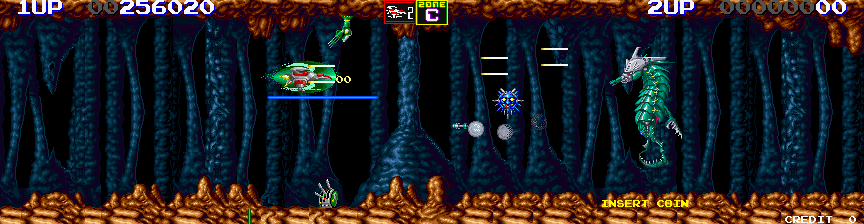
Play Sagaia (dual screen) (World) online. Clear formations for upgrades and choose the next branch through the Solar System campaign.
Browser play
Arcade — EmulatorJS controls
Default Player 1 keyboard mapping. Change keys in Controller Settings.
| Console button | Keyboard |
|---|---|
| ↑ / ↓ / ← / → | ↑ / ↓ / ← / → |
| RetroPad A / B / X / Y | Z / X / A / S |
| L / R | Q / E |
| Insert coin | V |
| START | Enter |
Open Controller Settings to configure your keyboard or gamepad. Touch controls are available on mobile.
How to Play Sagaia (dual screen) (World)
Quick start
- Destroy an entire enemy formation.
- Collect its available weapon or shield upgrade.
- Fight the mid-stage captain and main boss.
- Choose the next zone branch.
Controls
Move the Silver Hawk and use its shot and bomb attacks. Red items improve the main shot, green improve bombs, blue improve the shield, and yellow add the laser category. Clear designated enemy formations to reveal upgrades and choose a branch after each zone.
Sagaia (dual screen) (World) — About this game
Darius II branches across the Solar System through wide battlefields filled with marine-shaped warships. Destroying designated formations supplies weapon and shield upgrades, with a new laser category joining the main shot and bombs. Mid-stage captains revisit smaller versions of earlier Darius bosses before the next main encounter. The route chosen after each zone changes the sequence of battles ahead.
Cheats
No cheats have been added for this edition.
Player verification and sources
Browser play was reviewed before this edition was published in the catalogue. The date below is the catalogue publication date, not the game’s original release date.
- Browser test and catalogue publication date
- Browsers and devices
- PC: Chrome, Edge and Firefox. Mobile: Chrome on Android and Safari on iPhone and iPad.
- Player engine and core
- EmulatorJS 4.3.0-pre · arcade
- Tested by
- rwEmulator
Sources and editorial basis
rwEmulator reviews edition metadata, release information, game manuals and first-hand browser-play notes. Available manuals are linked below; the editorial policy explains how facts are checked and corrections are handled.