More browsing paths
Play Shark Attack (English) Online
Shark Attack
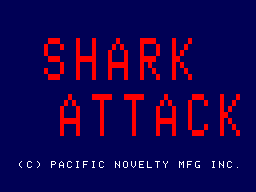
Play Shark Attack online. Approach the divers, bite them and avoid their spears to clear the round.
Browser play
Arcade — EmulatorJS controls
Default Player 1 keyboard mapping. Change keys in Controller Settings.
| Console button | Keyboard |
|---|---|
| ↑ / ↓ / ← / → | ↑ / ↓ / ← / → |
| RetroPad A / B / X / Y | Z / X / A / S |
| L / R | Q / E |
| Insert coin | V |
| START | Enter |
Open Controller Settings to configure your keyboard or gamepad. Touch controls are available on mobile.
How to Play Shark Attack
Quick start
- Guide the shark toward an isolated diver.
- Watch the direction of the spears.
- Use Munch when positioned to attack.
- Remove every diver and continue to the next round.
Controls
Joystick: guide the shark. Munch action: bite. Thrust action: propel the shark. Avoid the divers’ spears.
Shark Attack — About this game
Shark Attack casts the player as a great white shark hunting armed divers. Each diver can fire a spear, making the direction of the next approach important even when the shark is close enough to attack. The Munch action provides the bite, while Thrust supplies a separate movement action. Clearing all divers advances the numbered rounds, which are marked by flashing skulls. Moving into position without crossing the next spear gives the hunt its central rhythm.
Shark Attack Game manuals
Cheats
No cheats have been added for this edition.
Player verification and sources
Browser play was reviewed before this edition was published in the catalogue. The date below is the catalogue publication date, not the game’s original release date.
- Browser test and catalogue publication date
- Browsers and devices
- PC: Chrome, Edge and Firefox. Mobile: Chrome on Android and Safari on iPhone and iPad.
- Player engine and core
- EmulatorJS 4.3.0-pre · arcade
- Tested by
- rwEmulator
Sources and editorial basis
rwEmulator reviews edition metadata, release information, game manuals and first-hand browser-play notes. Available manuals are linked below; the editorial policy explains how facts are checked and corrections are handled.