More browsing paths
Play SOS Game Online
SOS Game
Play SOS Game online. Aim each single shot carefully and follow the flashing SOS arrow before its signal ends.
Browser play
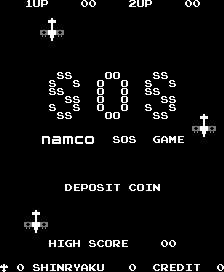
Arcade — EmulatorJS controls
Default Player 1 keyboard mapping. Change keys in Controller Settings.
| Console button | Keyboard |
|---|---|
| ↑ / ↓ / ← / → | ↑ / ↓ / ← / → |
| RetroPad A / B / X / Y | Z / X / A / S |
| L / R | Q / E |
| Insert coin | V |
| START | Enter |
Open Controller Settings to configure your keyboard or gamepad. Touch controls are available on mobile.
How to Play SOS Game
Quick start
- Move left or right beneath an enemy plane.
- Fire when the target is lined up.
- Wait for a missed bullet to leave the screen before firing again.
- Follow the flashing arrow during an SOS signal and keep the bypass count down.
Controls
Two-way directional control: move the plane left or right. Fire button: shoot from its nose; only one bullet can be active at a time.
SOS Game — About this game
SOS Game places a fighter plane beneath enemy aircraft descending from above. The plane moves sideways and can keep only one bullet on screen, making a missed shot delay the next attempt. A flashing arrow sometimes accompanies a Morse-code distress signal; reaching the indicated side before it ends provides a reward and can reduce the count of enemies that passed through. Allowing that bypass count to reach one hundred ends the game, adding another reason to intercept enemies before they disappear below.
Cheats
No cheats have been added for this edition.
Player verification and sources
Browser play was reviewed before this edition was published in the catalogue. The date below is the catalogue publication date, not the game’s original release date.
- Browser test and catalogue publication date
- Browsers and devices
- PC: Chrome, Edge and Firefox. Mobile: Chrome on Android and Safari on iPhone and iPad.
- Player engine and core
- EmulatorJS 4.3.0-pre · arcade
- Tested by
- rwEmulator
Sources and editorial basis
rwEmulator reviews edition metadata, release information, game manuals and first-hand browser-play notes. Available manuals are linked below; the editorial policy explains how facts are checked and corrections are handled.