More browsing paths
Play Splat! (English) Online
Splat!
Play Splat! online. Catch food from the conveyors and throw it at the opponent while avoiding return attacks.
Browser play
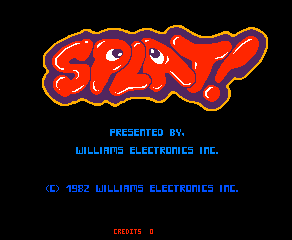
Arcade — EmulatorJS controls
Default Player 1 keyboard mapping. Change keys in Controller Settings.
| Console button | Keyboard |
|---|---|
| ↑ / ↓ / ← / → | ↑ / ↓ / ← / → |
| RetroPad A / B / X / Y | Z / X / A / S |
| L / R | Q / E |
| Insert coin | V |
| START | Enter |
Open Controller Settings to configure your keyboard or gamepad. Touch controls are available on mobile.
How to Play Splat!
Quick start
- Choose a contestant.
- Move beneath food dropping from the conveyors.
- Aim a throw toward the opponent.
- Avoid incoming food and recover a replacement head after losing one.
Controls
Movement joystick: walk around the arena. Throwing joystick: direct a food throw independently of movement.
Splat! — About this game
Splat! turns its arena into a food fight against another player or the computer. Food travels along the conveyors at the top, and a contestant must catch it as it falls before throwing it at the opponent. Pieces already on the floor cannot simply be picked up and reused. A direct head hit interrupts the victim’s attack, and finding a replacement head lets that contestant return to the contest. Moving toward fresh food must therefore be balanced against keeping out of the other player’s throwing line.
Splat! Game manuals
Cheats
No cheats have been added for this edition.
Player verification and sources
Browser play was reviewed before this edition was published in the catalogue. The date below is the catalogue publication date, not the game’s original release date.
- Browser test and catalogue publication date
- Browsers and devices
- PC: Chrome, Edge and Firefox. Mobile: Chrome on Android and Safari on iPhone and iPad.
- Player engine and core
- EmulatorJS 4.3.0-pre · arcade
- Tested by
- rwEmulator
Sources and editorial basis
rwEmulator reviews edition metadata, release information, game manuals and first-hand browser-play notes. Available manuals are linked below; the editorial policy explains how facts are checked and corrections are handled.