More browsing paths
Play Neo System Check (ver 1.0b) (Revision 1.0b) Online
Neo System Check (ver 1.0b)
Play Neo System Check (ver 1.0b) online. Run Neo Geo system checks and confirm the response of registered controls.
Browser play
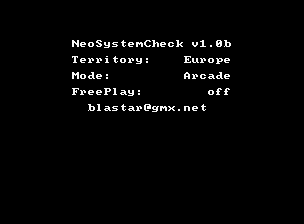
Arcade — EmulatorJS controls
Default Player 1 keyboard mapping. Change keys in Controller Settings.
| Console button | Keyboard |
|---|---|
| ↑ / ↓ / ← / → | ↑ / ↓ / ← / → |
| RetroPad A / B / X / Y | Z / X / A / S |
| L / R | Q / E |
| Insert coin | V |
| START | Enter |
Open Controller Settings to configure your keyboard or gamepad. Touch controls are available on mobile.
How to Play Neo System Check (ver 1.0b)
Quick start
- Start the diagnostic or pattern utility.
- Read the current test label before pressing anything.
- Exercise one requested input or inspect one pattern at a time.
- Confirm the visible response, then move to the next available check.
Controls
Use the four-way joystick, Select, Start and Neo Geo Buttons A, B, C and D according to the current diagnostic screen. Test and Service are operator controls.
Neo System Check (ver 1.0b) — About this game
Neo System Check (ver 1.0b) version 1.0b is a Neo Geo diagnostic utility rather than a conventional game. It is registered with the standard two-player Neo Geo interface so controls and system behavior can be exercised from its test screens. Work through the displayed checks one at a time, press the requested direction or button, and compare the visible response before continuing to another system item.
Cheats
No cheats have been added for this edition.
Player verification and sources
Browser play was reviewed before this edition was published in the catalogue. The date below is the catalogue publication date, not the game’s original release date.
- Browser test and catalogue publication date
- Browsers and devices
- PC: Chrome, Edge and Firefox. Mobile: Chrome on Android and Safari on iPhone and iPad.
- Player engine and core
- EmulatorJS 4.3.0-pre · arcade
- Tested by
- rwEmulator
Sources and editorial basis
rwEmulator reviews edition metadata, release information, game manuals and first-hand browser-play notes. Available manuals are linked below; the editorial policy explains how facts are checked and corrections are handled.