More browsing paths
Play Thunder Cross II (World) (World edition · English) Online
Thunder Cross II (World)
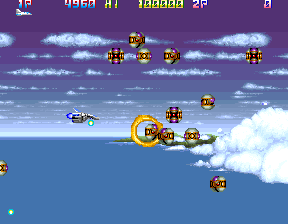
Play Thunder Cross II (World) online. Collect weapons and options, then adjust the supporting formation around your ship through horizontally scrolling battles.
Browser play
Arcade — EmulatorJS controls
Default Player 1 keyboard mapping. Change keys in Controller Settings.
| Console button | Keyboard |
|---|---|
| ↑ / ↓ / ← / → | ↑ / ↓ / ← / → |
| RetroPad A / B / X / Y | Z / X / A / S |
| L / R | Q / E |
| Insert coin | V |
| START | Enter |
Open Controller Settings to configure your keyboard or gamepad. Touch controls are available on mobile.
How to Play Thunder Cross II (World)
Quick start
- Destroy special enemies and collect the released upgrade items.
- Build the option formation while checking the ship's changing speed.
- Adjust option spacing to suit the space around approaching enemies.
- Keep a safe route through the horizontal battlefield while collecting further upgrades.
Controls
Move the ship with the joystick. The second action button adjusts the distance of the options from the ship. Further action-button roles need an exact arcade input or manual reference before a complete layout can be stated.
Thunder Cross II (World) — About this game
Thunder Cross II (World) lets a modest ship grow into a formation surrounded by as many as four options. Special enemies release the items needed to build that support, change weapons and improve speed. The formation itself is adjustable, giving the options a different distance from the main ship rather than fixing them permanently alongside it. Follow the horizontal battlefield while deciding whether a tighter arrangement or a wider spread better suits the enemies ahead, and collect upgrades without flying blindly into the next attack.
Thunder Cross II (World) Game manuals
Cheats
Infinite Lives PL1
1 "开启", 0, 0x10000B, 0x64Character Invincibility PL1
1 "开启", 0, 0x10000A, 0x01Infinite Lives PL2
1 "开启", 0, 0x10008B, 0x64Character Invincibility PL2
1 "开启", 0, 0x10008A, 0x01Player verification and sources
Browser play was reviewed before this edition was published in the catalogue. The date below is the catalogue publication date, not the game’s original release date.
- Browser test and catalogue publication date
- Browsers and devices
- PC: Chrome, Edge and Firefox. Mobile: Chrome on Android and Safari on iPhone and iPad.
- Player engine and core
- EmulatorJS 4.3.0-pre · arcade
- Tested by
- rwEmulator
Sources and editorial basis
rwEmulator reviews edition metadata, release information, game manuals and first-hand browser-play notes. Available manuals are linked below; the editorial policy explains how facts are checked and corrections are handled.