More browsing paths
Play Track & Field (English) Online
Track & Field
Play Track & Field online. Alternate Run buttons for speed, time Action for jumps or throws and meet each event’s qualifying mark.
Browser play
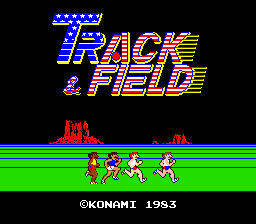
Arcade — EmulatorJS controls
Default Player 1 keyboard mapping. Change keys in Controller Settings.
| Console button | Keyboard |
|---|---|
| ↑ / ↓ / ← / → | ↑ / ↓ / ← / → |
| RetroPad A / B / X / Y | Z / X / A / S |
| L / R | Q / E |
| Insert coin | V |
| START | Enter |
Open Controller Settings to configure your keyboard or gamepad. Touch controls are available on mobile.
How to Play Track & Field
Quick start
- Alternate the two Run buttons in the sprint.
- Read the next event’s take-off or throwing cue.
- Time Action and hold it when an angle is required.
- Meet the qualifying mark to continue.
Controls
Two Run buttons build speed through alternating presses; Action times jumps and throws. In hammer, a Run press starts the spin before the timed Action input. In high jump, the run-up is automatic and Action controls take-off; Run presses can add height in the air.
Track & Field — About this game
Track & Field changes the use of its three buttons across six qualifying events. Alternating the two Run buttons builds speed for the sprint, long jump, javelin and hurdles, while Action times the take-off, throw or obstacle clearance. Holding Action also sets an angle in the jumping and throwing events. The hammer begins its spin differently, and the high jump supplies its own run-up speed. Learn the sprint rhythm before treating the next event as another button race, then read its timing cue: qualifying depends on that event’s result rather than simply beating a neighbouring athlete.
Track & Field Game manuals
Cheats
No cheats have been added for this edition.
Player verification and sources
Browser play was reviewed before this edition was published in the catalogue. The date below is the catalogue publication date, not the game’s original release date.
- Browser test and catalogue publication date
- Browsers and devices
- PC: Chrome, Edge and Firefox. Mobile: Chrome on Android and Safari on iPhone and iPad.
- Player engine and core
- EmulatorJS 4.3.0-pre · arcade
- Tested by
- rwEmulator
Sources and editorial basis
rwEmulator reviews edition metadata, release information, game manuals and first-hand browser-play notes. Available manuals are linked below; the editorial policy explains how facts are checked and corrections are handled.