More browsing paths
Play Twin Squash (English) Online
Twin Squash
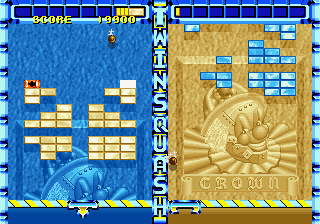
Play Twin Squash online. Clear groups of blocks to push the rival’s field downward while preventing your own from reaching the bottom.
Browser play
Arcade — EmulatorJS controls
Default Player 1 keyboard mapping. Change keys in Controller Settings.
| Console button | Keyboard |
|---|---|
| ↑ / ↓ / ← / → | ↑ / ↓ / ← / → |
| RetroPad A / B / X / Y | Z / X / A / S |
| L / R | Q / E |
| Insert coin | V |
| START | Enter |
Open Controller Settings to configure your keyboard or gamepad. Touch controls are available on mobile.
How to Play Twin Squash
Quick start
- Launch the ball into the blocks.
- Move the paddle under its return path.
- Build a clearance of four or more blocks.
- Watch both fields as the blocks shift up and down.
Controls
Move the paddle to return the ball and use Launch to put it into play. Clearing at least four blocks produces a field-shifting attack. A missed ball lowers your own blocks; do not let them reach the bottom.
Twin Squash — About this game
Twin Squash turns block breaking into a contest between neighbouring fields. Clearing four or more blocks builds an attack that raises the player’s block formation and pushes the opponent’s downward. Missing the ball also lowers the player’s own blocks instead of simply spending a conventional stock of lives. A field that reaches the bottom loses, making successful returns serve both defence and attack.
Cheats
No cheats have been added for this edition.
Player verification and sources
Browser play was reviewed before this edition was published in the catalogue. The date below is the catalogue publication date, not the game’s original release date.
- Browser test and catalogue publication date
- Browsers and devices
- PC: Chrome, Edge and Firefox. Mobile: Chrome on Android and Safari on iPhone and iPad.
- Player engine and core
- EmulatorJS 4.3.0-pre · arcade
- Tested by
- rwEmulator
Sources and editorial basis
rwEmulator reviews edition metadata, release information, game manuals and first-hand browser-play notes. Available manuals are linked below; the editorial policy explains how facts are checked and corrections are handled.