More browsing paths
Play Up'n Down (315-5030) (English) Online
Up'n Down (315-5030)
Play Up'n Down (315-5030) online. Collect every flag colour and use jumping to cross gaps or destroy a blocking vehicle.
Browser play
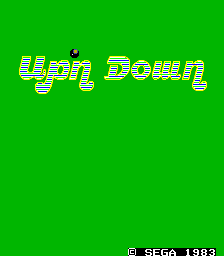
Arcade — EmulatorJS controls
Default Player 1 keyboard mapping. Change keys in Controller Settings.
| Console button | Keyboard |
|---|---|
| ↑ / ↓ / ← / → | ↑ / ↓ / ← / → |
| RetroPad A / B / X / Y | Z / X / A / S |
| L / R | Q / E |
| Insert coin | V |
| START | Enter |
Open Controller Settings to configure your keyboard or gamepad. Touch controls are available on mobile.
How to Play Up'n Down (315-5030)
Quick start
- Drive toward a flag colour still needed.
- Choose a branch at the next intersection.
- Jump over a gap or land on a vehicle blocking the route.
- Collect all ten colours to finish the round.
Controls
Up / Down: increase or decrease speed. Left / Right at an intersection: choose the branch. Jump action: leap over a gap or onto another vehicle.
Up'n Down (315-5030) — About this game
Up’n Down makes its road network a search for coloured flags rather than a conventional race to one finish line. The buggy changes route at intersections and uses jumping to cross gaps or land on enemy vehicles. Collecting all ten flag colours completes a round, with faster collection earning a better time bonus. Inclines and descents affect the buggy’s speed, while a mistimed landing can carry it off the road. Reading the next junction is therefore as useful as reacting to the next car.
Cheats
Infinite Lives
1 "开启", 0, 0xC868, 0x07Player verification and sources
Browser play was reviewed before this edition was published in the catalogue. The date below is the catalogue publication date, not the game’s original release date.
- Browser test and catalogue publication date
- Browsers and devices
- PC: Chrome, Edge and Firefox. Mobile: Chrome on Android and Safari on iPhone and iPad.
- Player engine and core
- EmulatorJS 4.3.0-pre · arcade
- Tested by
- rwEmulator
Sources and editorial basis
rwEmulator reviews edition metadata, release information, game manuals and first-hand browser-play notes. Available manuals are linked below; the editorial policy explains how facts are checked and corrections are handled.