More browsing paths
Play U.S. Classic (English) Online
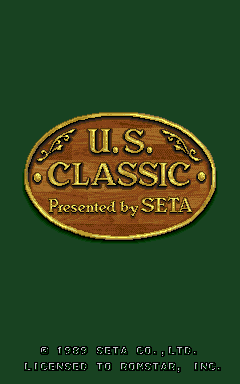
U.S. Classic
Play U.S. Classic online. Read the wind, select a club and roll the trackball with the intended swing direction and force.
Browser play
Arcade — EmulatorJS controls
Default Player 1 keyboard mapping. Change keys in Controller Settings.
| Console button | Keyboard |
|---|---|
| ↑ / ↓ / ← / → | ↑ / ↓ / ← / → |
| RetroPad A / B / X / Y | Z / X / A / S |
| L / R | Q / E |
| Insert coin | V |
| START | Enter |
Open Controller Settings to configure your keyboard or gamepad. Touch controls are available on mobile.
How to Play U.S. Classic
Quick start
- Check the distance and wind display.
- Select a suitable club.
- Roll the trackball in the intended direction with the chosen force.
- Aim for par or better to earn additional holes.
Controls
Select Club action: change the club. Trackball: determine the swing’s direction and force.
U.S. Classic — About this game
U.S. Classic shows the tee, wind and distance to the green before a golf shot. The player selects a club, then rolls the trackball with the direction and force intended for the swing. Those two parts of the input make a short approach different from a full-distance shot, while the wind display helps plan the line. Completing a hole at par or better earns additional holes, giving the score a direct role in how far the round continues.
U.S. Classic Game manuals
Cheats
No cheats have been added for this edition.
Player verification and sources
Browser play was reviewed before this edition was published in the catalogue. The date below is the catalogue publication date, not the game’s original release date.
- Browser test and catalogue publication date
- Browsers and devices
- PC: Chrome, Edge and Firefox. Mobile: Chrome on Android and Safari on iPhone and iPad.
- Player engine and core
- EmulatorJS 4.3.0-pre · arcade
- Tested by
- rwEmulator
Sources and editorial basis
rwEmulator reviews edition metadata, release information, game manuals and first-hand browser-play notes. Available manuals are linked below; the editorial policy explains how facts are checked and corrections are handled.