More browsing paths
Play World Class Bowling Deluxe (v2.00) (Revision 2.00 · English) Online
World Class Bowling Deluxe (v2.00)
Play World Class Bowling Deluxe (v2.00) online. Aim bowling throws with a trackball and adjust their curve.
Browser play
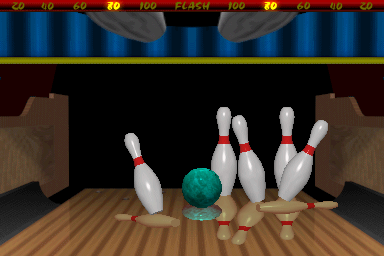
Arcade — EmulatorJS controls
Default Player 1 keyboard mapping. Change keys in Controller Settings.
| Console button | Keyboard |
|---|---|
| ↑ / ↓ / ← / → | ↑ / ↓ / ← / → |
| RetroPad A / B / X / Y | Z / X / A / S |
| L / R | Q / E |
| Insert coin | V |
| START | Enter |
Open Controller Settings to configure your keyboard or gamepad. Touch controls are available on mobile.
How to Play World Class Bowling Deluxe (v2.00)
Quick start
- Comienza la partida y elige Regulation o Flash.
- Usa Hook Left o Hook Right para añadir efecto.
- Mueve la bola de control hacia delante para lanzar.
- En Flash, mira el valor que se detiene al golpear un bolo: strike suma el valor entero y spare la mitad. Start muestra las bonificaciones anteriores.
Controls
Bola de control hacia delante: lanzar. Hook Left / Hook Right: añadir efecto a izquierda / derecha. Start: comenzar; en Flash, consultar las bonificaciones de entradas anteriores.
World Class Bowling Deluxe (v2.00) — About this game
Forward trackball motion launches the ball, while hook controls influence its path.
World Class Bowling Deluxe (v2.00) Game manuals
Cheats
No cheats have been added for this edition.
Player verification and sources
Browser play was reviewed before this edition was published in the catalogue. The date below is the catalogue publication date, not the game’s original release date.
- Browser test and catalogue publication date
- Browsers and devices
- PC: Chrome, Edge and Firefox. Mobile: Chrome on Android and Safari on iPhone and iPad.
- Player engine and core
- EmulatorJS 4.3.0-pre · arcade
- Tested by
- rwEmulator
Sources and editorial basis
rwEmulator reviews edition metadata, release information, game manuals and first-hand browser-play notes. Available manuals are linked below; the editorial policy explains how facts are checked and corrections are handled.