More browsing paths
Play Wheels Runner (English) Online
Wheels Runner
Steer with the wheel and use acceleration to learn the track’s corners and racing line.
Browser play
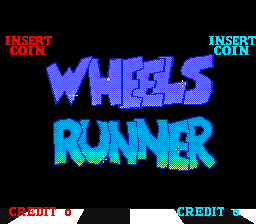
Arcade — EmulatorJS controls
Default Player 1 keyboard mapping. Change keys in Controller Settings.
| Console button | Keyboard |
|---|---|
| ↑ / ↓ / ← / → | ↑ / ↓ / ← / → |
| RetroPad A / B / X / Y | Z / X / A / S |
| L / R | Q / E |
| Insert coin | V |
| START | Enter |
Open Controller Settings to configure your keyboard or gamepad. Touch controls are available on mobile.
How to Play Wheels Runner
Quick start
- Start the race with the start/gas input.
- Turn the wheel or its mapped steering control.
- Use acceleration while watching the next corner.
- Match steering and speed to follow the track.
Controls
The original wheel steers left and right. START/GAS is one shared input: start the game before the race and accelerate while driving.
Wheels Runner — About this game
Race on tracks viewed from above, combining steering and acceleration. Watch the car’s position and the course shape to plan the next move. The original uses a wheel and one shared start/accelerator input: it starts the race, then supplies gas while driving. Road and dirt tracks make it useful to watch both the car’s heading and the surrounding route. Learn the steering response, then link successive corners into a steady rhythm.
Wheels Runner Game manuals
Cheats
No cheats have been added for this edition.
Player verification and sources
Browser play was reviewed before this edition was published in the catalogue. The date below is the catalogue publication date, not the game’s original release date.
- Browser test and catalogue publication date
- Browsers and devices
- PC: Chrome, Edge and Firefox. Mobile: Chrome on Android and Safari on iPhone and iPad.
- Player engine and core
- EmulatorJS 4.3.0-pre · arcade
- Tested by
- rwEmulator
Sources and editorial basis
rwEmulator reviews edition metadata, release information, game manuals and first-hand browser-play notes. Available manuals are linked below; the editorial policy explains how facts are checked and corrections are handled.