More browsing paths
Play Pro Tennis World Court (Japan) (Japan edition · Japanese) Online
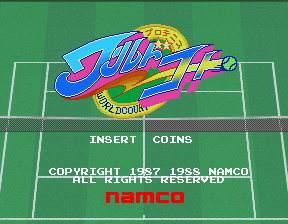
Pro Tennis World Court (Japan)
Play Pro Tennis World Court (Japan) online. Choose a player and court, then move into position before returning the ball.
Browser play
Arcade — EmulatorJS controls
Default Player 1 keyboard mapping. Change keys in Controller Settings.
| Console button | Keyboard |
|---|---|
| ↑ / ↓ / ← / → | ↑ / ↓ / ← / → |
| RetroPad A / B / X / Y | Z / X / A / S |
| L / R | Q / E |
| Insert coin | V |
| START | Enter |
Open Controller Settings to configure your keyboard or gamepad. Touch controls are available on mobile.
How to Play Pro Tennis World Court (Japan)
Quick start
- Choose singles or doubles.
- Select a player and court.
- Move toward the approaching ball.
- Time the racket swing to return it.
Controls
Move with the joystick and use the racket-swing action to return the ball. Reposition after each hit so the next return can be reached.
Pro Tennis World Court (Japan) — About this game
Pro Tennis World Court (Japan) offers a choice of twenty players for singles or doubles tennis. The roster includes human competitors and robots, with different movement affecting how easily a return can be reached. New York hard court, London lawn and Paris clay provide the available settings. Reaching a good position before the next strike is essential when a rally pulls the player across the court.
Cheats
No cheats have been added for this edition.
Player verification and sources
Browser play was reviewed before this edition was published in the catalogue. The date below is the catalogue publication date, not the game’s original release date.
- Browser test and catalogue publication date
- Browsers and devices
- PC: Chrome, Edge and Firefox. Mobile: Chrome on Android and Safari on iPhone and iPad.
- Player engine and core
- EmulatorJS 4.3.0-pre · arcade
- Tested by
- rwEmulator
Sources and editorial basis
rwEmulator reviews edition metadata, release information, game manuals and first-hand browser-play notes. Available manuals are linked below; the editorial policy explains how facts are checked and corrections are handled.