More browsing paths
Play Army Men: Soldiers of Misfortune (US edition · English / French / German / Spanish / Italian) Online
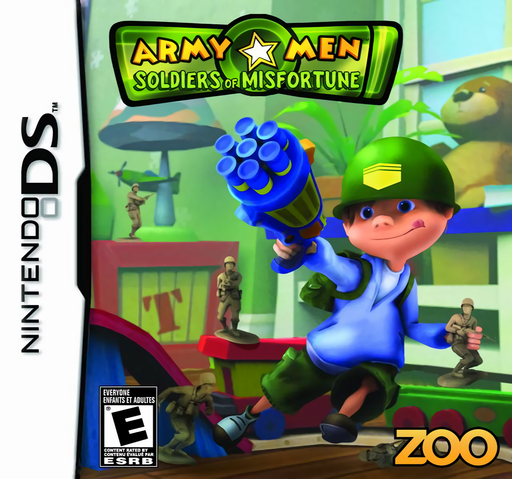
Army Men - Soldiers of Misfortune
Play Army Men: Soldiers of Misfortune online and explore its Nintendo DS gameplay. Shrink into Timmy's toy-sized world and help the green soldiers against the tan army. See how to start and use the original controls.
Browser play
Nintendo DS (NDS) — EmulatorJS controls
Default Player 1 keyboard mapping. Change keys in Controller Settings.
| Console button | Keyboard |
|---|---|
| ↑ / ↓ / ← / → | ↑ / ↓ / ← / → |
| A / B / X / Y | Z / X / A / S |
| L / R | Q / E |
| START / SELECT | Enter / V |
| Microphone | Not assigned |
Open Controller Settings to configure your keyboard or gamepad. Touch controls are available on mobile.
How to Play Army Men: Soldiers of Misfortune
Quick start
Start the first mission and read its objective before moving out. Practise moving forward, backing up and turning in a clear space, then collect ammunition along your route. Follow the mission's collection or protection requirement rather than firing at every soldier you see.
Controls
D-pad up moves Timmy forward, down reverses, and left/right turns him. Hold L while pressing left or right to strafe. Tap an enemy on the touch screen with the stylus to shoot. Keep track of ammunition and use movement to avoid incoming fire.
Army Men: Soldiers of Misfortune — About this game
A child's home becomes the battlefield when Timmy shrinks down to the scale of his army figures. In this Nintendo DS version, bedrooms, the kitchen and the backyard turn familiar objects into large obstacles. Missions ask you to collect objects, clear a route or protect a target while supplies and ammunition are scattered around the area. Dart weapons, a water gun and bottle-cap grenades keep the action in the toy-box world. Movement and touch-screen shooting work together, making positioning as important as tapping an enemy.
Army Men: Soldiers of Misfortune Game manuals
Cheats
No cheats have been added for this edition.
Player verification and sources
Browser play was reviewed before this edition was published in the catalogue. The date below is the catalogue publication date, not the game’s original release date.
- Browser test and catalogue publication date
- Browsers and devices
- PC: Chrome, Edge and Firefox. Mobile: Chrome on Android and Safari on iPhone and iPad.
- Player engine and core
- EmulatorJS 4.3.0-pre · nds
- Tested by
- rwEmulator
Sources and editorial basis
rwEmulator reviews edition metadata, release information, game manuals and first-hand browser-play notes. Available manuals are linked below; the editorial policy explains how facts are checked and corrections are handled.