More browsing paths
Play Army Men (US_EU edition · English / French / German) Online
Army Men
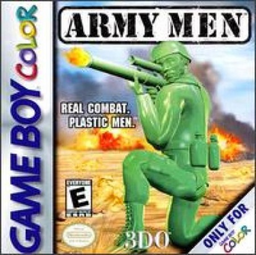
Play Army Men online on Game Boy Color. Take a green plastic soldier into the conflict with the Tan Army in Army Men. Follow mission orders, move through hostile ground and select the right inventory item before using it, keeping the current objective ahead of aimless fighting.
Browser play
Game Boy Color (GBC) — EmulatorJS controls
Default Player 1 keyboard mapping. Change keys in Controller Settings.
| Console button | Keyboard |
|---|---|
| ↑ / ↓ / ← / → | ↑ / ↓ / ← / → |
| A / B | Z / X |
| START / SELECT | Enter / V |
Open Controller Settings to configure your keyboard or gamepad. Touch controls are available on mobile.
How to Play Army Men
Quick start
Choose Boot Camp for basic training, then select Campaign and read the mission. Try moving, cycling an item and using it before approaching enemies.
Controls
D-pad moves and selects menus. A confirms, uses the selected item or fires; B cycles inventory. SELECT pauses and opens Mission Options. START drops the selected item.
Army Men — About this game
Boot Camp offers a place to learn the controls before a campaign. Practise cycling the inventory with B and using the selected item with A, then check the mission screen with SELECT. START drops an item rather than pausing, so learn that difference before carrying useful equipment into danger.
Army Men Game manuals
Cheats
No cheats have been added for this edition.
Player verification and sources
Browser play was reviewed before this edition was published in the catalogue. The date below is the catalogue publication date, not the game’s original release date.
- Browser test and catalogue publication date
- Browsers and devices
- PC: Chrome, Edge and Firefox. Mobile: Chrome on Android and Safari on iPhone and iPad.
- Player engine and core
- EmulatorJS 4.3.0-pre · gb
- Tested by
- rwEmulator
Sources and editorial basis
rwEmulator reviews edition metadata, release information, game manuals and first-hand browser-play notes. Available manuals are linked below; the editorial policy explains how facts are checked and corrections are handled.