More browsing paths
Play Art Academy (NDSi Enhanced · US edition · English / French / Spanish) Online
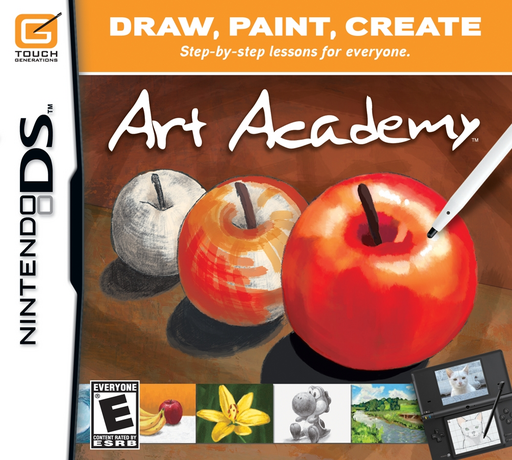
Art Academy
Play Art Academy online. Follow Vince’s drawing and painting lessons, then use pencils, brushes and mixed colors in Free Paint. Learn how to start and use the original Nintendo DS controls.
Browser play
Nintendo DS (NDS) — EmulatorJS controls
Default Player 1 keyboard mapping. Change keys in Controller Settings.
| Console button | Keyboard |
|---|---|
| ↑ / ↓ / ← / → | ↑ / ↓ / ← / → |
| A / B / X / Y | Z / X / A / S |
| L / R | Q / E |
| START / SELECT | Enter / V |
| Microphone | Not assigned |
Open Controller Settings to configure your keyboard or gamepad. Touch controls are available on mobile.
How to Play Art Academy
Quick start
Choose Lessons, then Start New Lesson and an empty save slot. Select Lesson 1 and tap Start. Follow Vince’s first explanation, practise on the canvas and use Continue Lesson when ready. During practice, open the pause menu and save your work before leaving.
Controls
Stylus: draw on the canvas and tap tools, colors and lesson icons. During practice, A/B change the upper-screen display; the D-Pad scrolls when zoomed in. START opens the practice pause menu. During teaching, START pauses or resumes the explanation without opening that menu.
Art Academy — About this game
Art Academy treats the DS touch screen as a working canvas. Vince explains a technique, shows an example and lets you practise it with the stylus before moving to the next stage. Pencil hardness, eraser shapes, brush types and a mixing palette make shading and color choices part of the process. Completing lessons opens further lessons and short exercises, while Free Paint lets you work from a reference or your own idea. Save an editable work file while drawing, then place a finished picture in the Gallery when you want to exhibit it.
Art Academy Game manuals
Cheats
No cheats have been added for this edition.
Player verification and sources
Browser play was reviewed before this edition was published in the catalogue. The date below is the catalogue publication date, not the game’s original release date.
- Browser test and catalogue publication date
- Browsers and devices
- PC: Chrome, Edge and Firefox. Mobile: Chrome on Android and Safari on iPhone and iPad.
- Player engine and core
- EmulatorJS 4.3.0-pre · nds
- Tested by
- rwEmulator
Sources and editorial basis
rwEmulator reviews edition metadata, release information, game manuals and first-hand browser-play notes. Available manuals are linked below; the editorial policy explains how facts are checked and corrections are handled.