More browsing paths
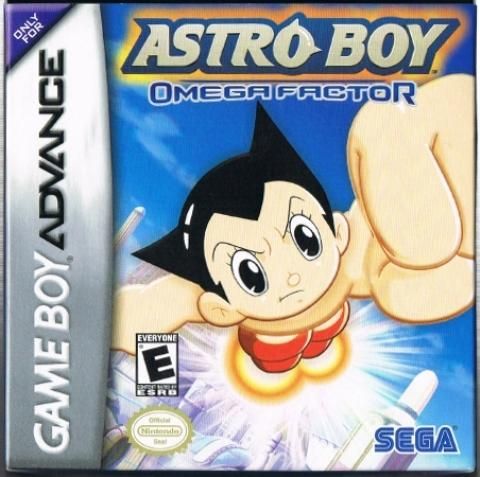
Play Astro Boy: Omega Factor (US edition) Online
Astro Boy: Omega Factor
Play Astro Boy: Omega Factor online and combine punches, lasers, jet flight, EX attacks and shooting stages while strengthening Astro through character encounters.
Browser play
Game Boy Advance (GBA) — EmulatorJS controls
Default Player 1 keyboard mapping. Change keys in Controller Settings.
| Console button | Keyboard |
|---|---|
| ↑ / ↓ / ← / → | ↑ / ↓ / ← / → |
| A / B | Z / X |
| L / R | Q / E |
| START / SELECT | Enter / V |
Open Controller Settings to configure your keyboard or gamepad. Touch controls are available on mobile.
How to Play Astro Boy: Omega Factor
Quick start
Press START, choose START in Mode Select, then pick one of the three data slots. On an empty slot, enter a name and choose EASY or HARD—the difficulty cannot be changed later. Stage 1 begins in Metro City after Ms. Wato is kidnapped; rescue her and investigate the robot attack. Meet Tezuka characters to assign Omega Factor points, and use dashes to pass safely through danger.
Controls
Menus: D-Pad selects, A confirms, B cancels, and START begins or skips dialogue. On the ground, Left/Right moves (double-tap to invulnerable dash), A jumps, B punches (the fourth hit kicks/throws), Down+B kicks/throws, Up+B fires the finger laser, A+B uses EX Dash, L uses Shot and R uses Arm Cannon. Hold a direction+A in the air to jet. Shooting stages keep D-Pad movement, A jets, B laser, L Shot, R Arm Cannon and A+B EX Dash. START pauses for Continue, Retry or Exit.
Astro Boy: Omega Factor Game manuals
Cheats
No cheats have been added for this edition.
Player verification and sources
Browser play was reviewed before this edition was published in the catalogue. The date below is the catalogue publication date, not the game’s original release date.
- Browser test and catalogue publication date
- Browsers and devices
- PC: Chrome, Edge and Firefox. Mobile: Chrome on Android and Safari on iPhone and iPad.
- Player engine and core
- EmulatorJS 4.3.0-pre · gba
- Tested by
- rwEmulator
Sources and editorial basis
rwEmulator reviews edition metadata, release information, game manuals and first-hand browser-play notes. Available manuals are linked below; the editorial policy explains how facts are checked and corrections are handled.