More browsing paths
Play Syberia (US edition · English / French / Spanish) Online
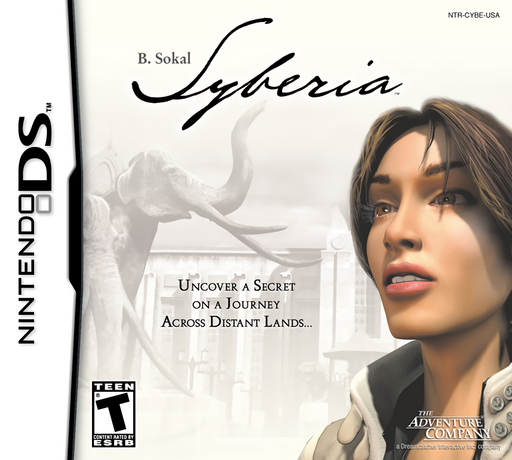
B. Sokal Syberia
Play Syberia online. Follow Kate Walker's search for a missing heir, inspect clockwork machines and solve inventory puzzles with the DS stylus.
Browser play
Nintendo DS (NDS) — EmulatorJS controls
Default Player 1 keyboard mapping. Change keys in Controller Settings.
| Console button | Keyboard |
|---|---|
| ↑ / ↓ / ← / → | ↑ / ↓ / ← / → |
| A / B / X / Y | Z / X / A / S |
| L / R | Q / E |
| START / SELECT | Enter / V |
| Microphone | Not assigned |
Open Controller Settings to configure your keyboard or gamepad. Touch controls are available on mobile.
How to Play Syberia
Quick start
After the funeral scene, enter the hotel and take the small key by the reception automaton. Open the inventory with the down arrow, drag the key onto its back and press the red button. Speak to the manager about Kate and her mission. Go upstairs to Kate's room, collect the letter on the small table, read it and call the office using the phone icon.
Controls
DS uses the stylus: tap to move or speak, and drag the eye icon across the scene to find interactions. Open inventory with its arrow, hold an item and drag it onto a hotspot. Documents are dragged to the reading area, then opened with Read. Follow circular or lever gestures as shown. Use the Save and Phone icons for their respective screens.
Syberia — About this game
Syberia begins as a legal assignment for Kate Walker in the town of Valadilene. A factory sale becomes a search for the missing Hans Voralberg, drawing Kate into a world of elaborate automatons and family history. Progress depends on conversation topics, documents and objects that fit the mechanisms around you. The DS interface places these tasks on the touch screen: an eye icon helps locate interactive details, while the inventory lets you drag items onto the scene. Read clues and revisit people after discoveries, since a new piece of information can matter as much as a new key.
Syberia Game manuals
Cheats
No cheats have been added for this edition.
Player verification and sources
Browser play was reviewed before this edition was published in the catalogue. The date below is the catalogue publication date, not the game’s original release date.
- Browser test and catalogue publication date
- Browsers and devices
- PC: Chrome, Edge and Firefox. Mobile: Chrome on Android and Safari on iPhone and iPad.
- Player engine and core
- EmulatorJS 4.3.0-pre · nds
- Tested by
- rwEmulator
Sources and editorial basis
rwEmulator reviews edition metadata, release information, game manuals and first-hand browser-play notes. Available manuals are linked below; the editorial policy explains how facts are checked and corrections are handled.