More browsing paths
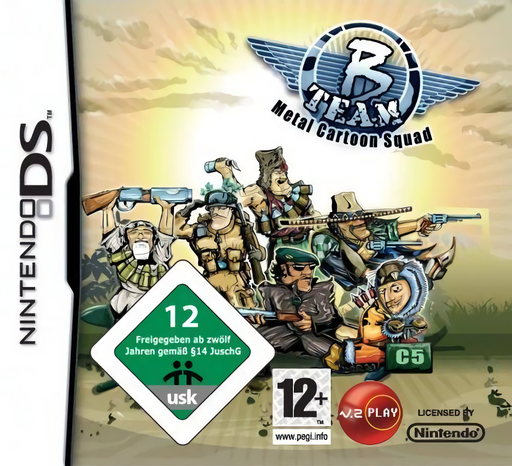
Play B Team - Metal Cartoon Squad (Europe edition · English / French / German / Spanish / Italian) Online
B Team - Metal Cartoon Squad
Play B Team - Metal Cartoon Squad online. Lead a cartoon commando squad through destructive missions.
Browser play
Nintendo DS (NDS) — EmulatorJS controls
Default Player 1 keyboard mapping. Change keys in Controller Settings.
| Console button | Keyboard |
|---|---|
| ↑ / ↓ / ← / → | ↑ / ↓ / ← / → |
| A / B / X / Y | Z / X / A / S |
| L / R | Q / E |
| START / SELECT | Enter / V |
| Microphone | Not assigned |
Open Controller Settings to configure your keyboard or gamepad. Touch controls are available on mobile.
How to Play B Team - Metal Cartoon Squad
Quick start
Begin the first mission, practise moving the squad and aim at a nearby target. Pick up supplies before entering the next passage.
Controls
Use the Control Pad to move the squad and the stylus to target enemies or structures on the Touch Screen. Follow mission prompts for available actions.
B Team - Metal Cartoon Squad — About this game
Guide a three-soldier team through compact battlefields filled with enemies and structures to destroy. Movement and aiming are separate, so keep the squad mobile while selecting targets. Weapons, first-aid kits and other pickups help the team survive. Watch narrow passages and clear a route before advancing into another group of enemies.
B Team - Metal Cartoon Squad Game manuals
Cheats
No cheats have been added for this edition.
Player verification and sources
Browser play was reviewed before this edition was published in the catalogue. The date below is the catalogue publication date, not the game’s original release date.
- Browser test and catalogue publication date
- Browsers and devices
- PC: Chrome, Edge and Firefox. Mobile: Chrome on Android and Safari on iPhone and iPad.
- Player engine and core
- EmulatorJS 4.3.0-pre · nds
- Tested by
- rwEmulator
Sources and editorial basis
rwEmulator reviews edition metadata, release information, game manuals and first-hand browser-play notes. Available manuals are linked below; the editorial policy explains how facts are checked and corrections are handled.