More browsing paths
Play Babysitting Mania (US edition · English) Online
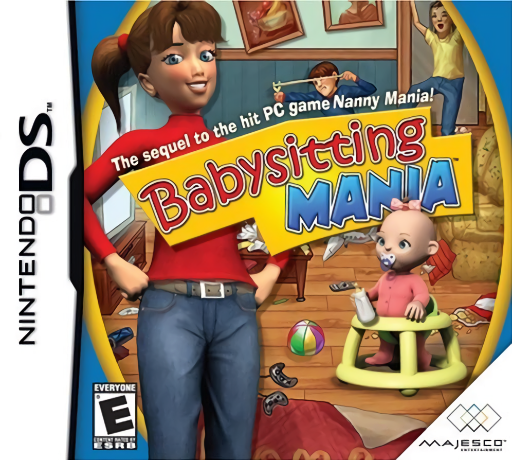
Babysitting Mania
Play Babysitting Mania online. Keep a household under control while children keep making new messes.
Browser play
Nintendo DS (NDS) — EmulatorJS controls
Default Player 1 keyboard mapping. Change keys in Controller Settings.
| Console button | Keyboard |
|---|---|
| ↑ / ↓ / ← / → | ↑ / ↓ / ← / → |
| A / B / X / Y | Z / X / A / S |
| L / R | Q / E |
| START / SELECT | Enter / V |
| Microphone | Not assigned |
Open Controller Settings to configure your keyboard or gamepad. Touch controls are available on mobile.
How to Play Babysitting Mania
Quick start
Begin the first household and tap a red-outlined object. Queue nearby tasks, check the chaos gauge and attend to the baby when needed. Finish tidying before bedtime.
Controls
Touch highlighted objects to assign tasks. Tap several to build a queue; use the indicated object pair for jobs such as laundry or rubbish. Tap children to calm them temporarily.
Babysitting Mania — About this game
Tap messy objects to send the babysitter to work, and queue tasks to avoid wasted trips. Children can undo your cleaning, while a baby may need attention at the same time. Watch the chaos gauge and balance urgent care with laundry, rubbish and household tidying. Once order is restored, put the children to bed before their parents return.
Babysitting Mania Game manuals
Cheats
No cheats have been added for this edition.
Player verification and sources
Browser play was reviewed before this edition was published in the catalogue. The date below is the catalogue publication date, not the game’s original release date.
- Browser test and catalogue publication date
- Browsers and devices
- PC: Chrome, Edge and Firefox. Mobile: Chrome on Android and Safari on iPhone and iPad.
- Player engine and core
- EmulatorJS 4.3.0-pre · nds
- Tested by
- rwEmulator
Sources and editorial basis
rwEmulator reviews edition metadata, release information, game manuals and first-hand browser-play notes. Available manuals are linked below; the editorial policy explains how facts are checked and corrections are handled.