More browsing paths
Play Backgammon (Japan edition · Japanese) Online
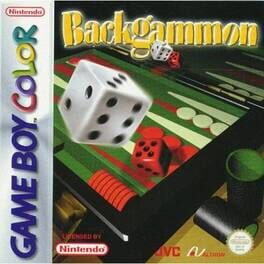
Backgammon
Play Backgammon online on GBC. Move fifteen checkers around the points according to two dice and bear them all off before your opponent. Luck determines the available movement, but safe landing points, blocking and the choice of which checker to advance turn each roll into a tactical decision.
Browser play
Game Boy Color (GBC) — EmulatorJS controls
Default Player 1 keyboard mapping. Change keys in Controller Settings.
| Console button | Keyboard |
|---|---|
| ↑ / ↓ / ← / → | ↑ / ↓ / ← / → |
| A / B | Z / X |
| START / SELECT | Enter / V |
Open Controller Settings to configure your keyboard or gamepad. Touch controls are available on mobile.
How to Play Backgammon
Quick start
Choose a free game and an easy opponent. Roll, select a checker with the D-pad and A, then choose a legal destination. Watch both dice before confirming the whole turn.
Controls
The D-pad selects checkers and destinations. A confirms rolls, moves and menu choices; B cancels or returns. Use the available move choices to spend each die legally.
Backgammon — About this game
Backgammon for Game Boy Color. A lone checker can be hit and sent to the bar, while two together protect a point. Re-enter from the bar before moving other pieces. Once every checker is in your home board, bearing off becomes the final race; avoid leaving a vulnerable piece behind too early.
Cheats
No cheats have been added for this edition.
Player verification and sources
Browser play was reviewed before this edition was published in the catalogue. The date below is the catalogue publication date, not the game’s original release date.
- Browser test and catalogue publication date
- Browsers and devices
- PC: Chrome, Edge and Firefox. Mobile: Chrome on Android and Safari on iPhone and iPad.
- Player engine and core
- EmulatorJS 4.3.0-pre · gb
- Tested by
- rwEmulator
Sources and editorial basis
rwEmulator reviews edition metadata, release information, game manuals and first-hand browser-play notes. Available manuals are linked below; the editorial policy explains how facts are checked and corrections are handled.