More browsing paths
Play Backyard Basketball (US edition) Online
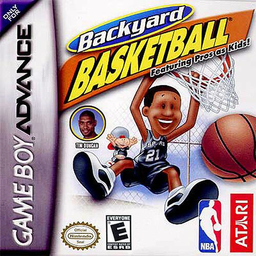
Backyard Basketball
Play Backyard Basketball online with instant Play Now games, custom pickup teams, season competition, NBA kid stars, turbo moves and power-ups.
Browser play
Game Boy Advance (GBA) — EmulatorJS controls
Default Player 1 keyboard mapping. Change keys in Controller Settings.
| Console button | Keyboard |
|---|---|
| ↑ / ↓ / ← / → | ↑ / ↓ / ← / → |
| A / B | Z / X |
| L / R | Q / E |
| START / SELECT | Enter / V |
Open Controller Settings to configure your keyboard or gamepad. Touch controls are available on mobile.
How to Play Backyard Basketball
Quick start
Press START and choose PLAY NOW for a spontaneous game with random teams, players, and court. Choose PICK-UP GAME if you want to select everything yourself, or SEASON PLAY to chase the BBA Championship with saved statistics. In your first match, pass with B to create space, then hold A to jump and release at the top of the jump to shoot.
Controls
Menus: D-Pad navigates, A accepts, B returns, L/R show more teams, START accepts or jumps to the game, and SELECT shows/hides Info Barry. Gameplay: D-Pad moves; on offense hold A to jump and release to shoot (tap for pump fake), B passes, L spins, and R uses turbo. On defense A blocks/jumps/rebounds, B switches players, L steals, and R uses turbo. START opens the Pause Menu.
Backyard Basketball Game manuals
Cheats
No cheats have been added for this edition.
Player verification and sources
Browser play was reviewed before this edition was published in the catalogue. The date below is the catalogue publication date, not the game’s original release date.
- Browser test and catalogue publication date
- Browsers and devices
- PC: Chrome, Edge and Firefox. Mobile: Chrome on Android and Safari on iPhone and iPad.
- Player engine and core
- EmulatorJS 4.3.0-pre · gba
- Tested by
- rwEmulator
Sources and editorial basis
rwEmulator reviews edition metadata, release information, game manuals and first-hand browser-play notes. Available manuals are linked below; the editorial policy explains how facts are checked and corrections are handled.