More browsing paths
Play Backyard Football (US edition) Online
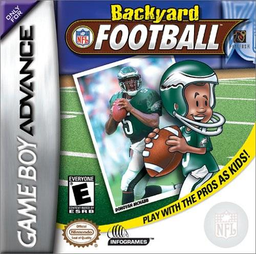
Backyard Football
Play Backyard Football online with quick pickup games, exhibitions and a full season, calling plays and controlling passes, tackles and evasive moves.
Browser play
Game Boy Advance (GBA) — EmulatorJS controls
Default Player 1 keyboard mapping. Change keys in Controller Settings.
| Console button | Keyboard |
|---|---|
| ↑ / ↓ / ← / → | ↑ / ↓ / ← / → |
| A / B | Z / X |
| L / R | Q / E |
| START / SELECT | Enter / V |
Open Controller Settings to configure your keyboard or gamepad. Touch controls are available on mobile.
How to Play Backyard Football
Quick start
Press START for the Main Menu and select PICKUP GAME to begin immediately with a preselected team and opponent. EXHIBITION lets you choose teams, field, weather, and players; SEASON PLAY tracks statistics through the playoffs. For kickoffs, press A to select the play, press A again to set the yellow direction arrow, then use A once more to stop the red distance meter.
Controls
Menus: D-Pad highlights, A confirms, B returns, START jumps to the game, SELECT opens InfoChuck. After the hike, D-Pad moves the selected player. Offense: A/L/R throw to receivers marked with those icons; B performs a spin or stiff-arm. Defense: A shoulder-charges, B dive-tackles, L cycles defenders, and R selects the defender nearest the ball. START pauses. Playbook screens use the D-Pad to choose formations and plays, A to confirm, and B to go back.
Backyard Football Game manuals
Cheats
No cheats have been added for this edition.
Player verification and sources
Browser play was reviewed before this edition was published in the catalogue. The date below is the catalogue publication date, not the game’s original release date.
- Browser test and catalogue publication date
- Browsers and devices
- PC: Chrome, Edge and Firefox. Mobile: Chrome on Android and Safari on iPhone and iPad.
- Player engine and core
- EmulatorJS 4.3.0-pre · gba
- Tested by
- rwEmulator
Sources and editorial basis
rwEmulator reviews edition metadata, release information, game manuals and first-hand browser-play notes. Available manuals are linked below; the editorial policy explains how facts are checked and corrections are handled.