More browsing paths
Play Backyard Sports: Baseball 2007 (US edition) Online
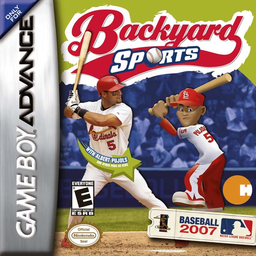
Backyard Sports: Baseball 2007
Play Backyard Sports: Baseball 2007 online on GBA with pick-up and season games, MLB kid pros, power-ups and full batting, pitching and fielding controls.
Browser play
Game Boy Advance (GBA) — EmulatorJS controls
Default Player 1 keyboard mapping. Change keys in Controller Settings.
| Console button | Keyboard |
|---|---|
| ↑ / ↓ / ← / → | ↑ / ↓ / ← / → |
| A / B | Z / X |
| L / R | Q / E |
| START / SELECT | Enter / V |
Open Controller Settings to configure your keyboard or gamepad. Touch controls are available on mobile.
How to Play Backyard Sports: Baseball 2007
Quick start
Choose PICK-UP GAME for a single match, set the rules, teams, field and players, or press START to jump in with preselected teams. While batting, choose a hit type and press A to select the swing; while pitching, choose and position a pitch before pressing A. Start with Pitch Locator on so you can see where the ball will cross the plate.
Controls
Pitching: D-pad chooses/positions a pitch, A selects and throws, B cancels, SELECT toggles Pitch Locator and START pauses. Batting: D-pad chooses hit type/stance, A selects swing, B cancels, R+D-pad steals and L+D-pad leads off. Fielding: D-pad moves, B switches fielder, A throws to pitcher, direction+A throws to a base, L jumps and R dives. Running: A advances, B retreats and R slides.
Backyard Sports: Baseball 2007 Game manuals
Cheats
No cheats have been added for this edition.
Player verification and sources
Browser play was reviewed before this edition was published in the catalogue. The date below is the catalogue publication date, not the game’s original release date.
- Browser test and catalogue publication date
- Browsers and devices
- PC: Chrome, Edge and Firefox. Mobile: Chrome on Android and Safari on iPhone and iPad.
- Player engine and core
- EmulatorJS 4.3.0-pre · gba
- Tested by
- rwEmulator
Sources and editorial basis
rwEmulator reviews edition metadata, release information, game manuals and first-hand browser-play notes. Available manuals are linked below; the editorial policy explains how facts are checked and corrections are handled.