More browsing paths
Play Backyard Sports: Sandlot Sluggers (US edition) Online
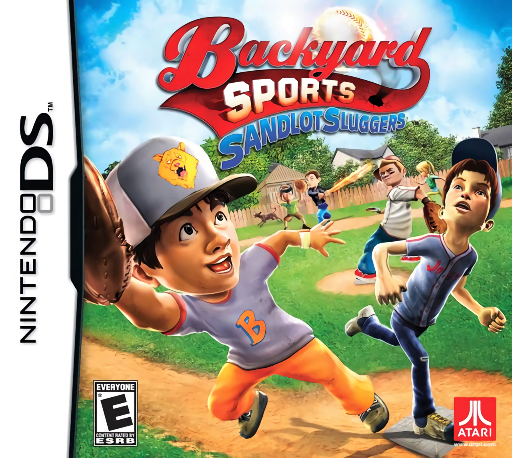
Backyard Sports - Sandlot Sluggers
Play Backyard Sports: Sandlot Sluggers online and explore its Nintendo DS gameplay. Pitch and bat with buttons or stylus while automatic fielding keeps the neighbourhood games moving. See how to start and use the original controls.
Browser play
Nintendo DS (NDS) — EmulatorJS controls
Default Player 1 keyboard mapping. Change keys in Controller Settings.
| Console button | Keyboard |
|---|---|
| ↑ / ↓ / ← / → | ↑ / ↓ / ← / → |
| A / B / X / Y | Z / X / A / S |
| L / R | Q / E |
| START / SELECT | Enter / V |
| Microphone | Not assigned |
Open Controller Settings to configure your keyboard or gamepad. Touch controls are available on mobile.
How to Play Backyard Sports: Sandlot Sluggers
Quick start
Begin with a pick-up game and choose a comfortable difficulty. Try pitching and batting with one control scheme before changing to the other. After contact, watch the automatic defence and runner display. Later, start Story with a created character or choose Season for a competition schedule.
Controls
Use the button or touch-screen scheme, following the current pitch-selection and swing prompts. Fielding is automatic in this DS version. During running, watch the runner and base information, follow any displayed running commands, then turn your attention to the next pitch.
Backyard Sports: Sandlot Sluggers — About this game
Sandlot Sluggers gives the Backyard baseball cast a neighbourhood rivalry and a story built around facing local teams before the bully's side. The original DS game puts direct control into pitching and batting, with buttons or stylus available, while fielding is automatic. That division makes pitch selection and batting timing the centre of each inning. Pick-up games provide a short start; Season and Playoff offer longer competition, and Story follows a created character. Watch runners and outs after contact before planning the next pitch or hit.
Backyard Sports: Sandlot Sluggers Game manuals
Cheats
No cheats have been added for this edition.
Player verification and sources
Browser play was reviewed before this edition was published in the catalogue. The date below is the catalogue publication date, not the game’s original release date.
- Browser test and catalogue publication date
- Browsers and devices
- PC: Chrome, Edge and Firefox. Mobile: Chrome on Android and Safari on iPhone and iPad.
- Player engine and core
- EmulatorJS 4.3.0-pre · nds
- Tested by
- rwEmulator
Sources and editorial basis
rwEmulator reviews edition metadata, release information, game manuals and first-hand browser-play notes. Available manuals are linked below; the editorial policy explains how facts are checked and corrections are handled.