More browsing paths
Play The Backyardigans (US edition · English) Online
Backyardigans, The
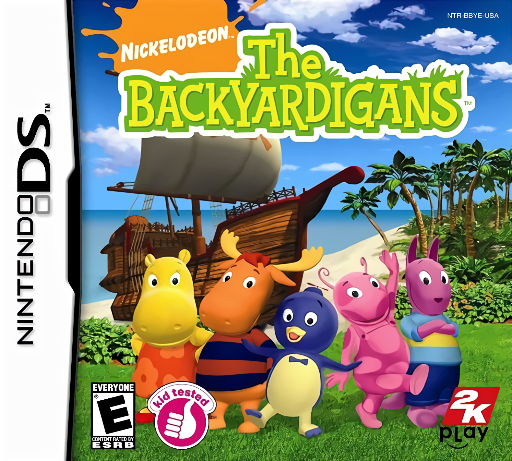
Play The Backyardigans online. Trace, match and make music on a Backyardigans treasure adventure.
Browser play
Nintendo DS (NDS) — EmulatorJS controls
Default Player 1 keyboard mapping. Change keys in Controller Settings.
| Console button | Keyboard |
|---|---|
| ↑ / ↓ / ← / → | ↑ / ↓ / ← / → |
| A / B / X / Y | Z / X / A / S |
| L / R | Q / E |
| START / SELECT | Enter / V |
| Microphone | Not assigned |
Open Controller Settings to configure your keyboard or gamepad. Touch controls are available on mobile.
How to Play The Backyardigans
Quick start
Start the adventure and listen to the first activity’s instructions. Try tracing before moving on to matching and music challenges.
Controls
Use the stylus to trace paths, select matching pictures and tap musical objects as instructed. Read or listen to each activity’s example before acting.
The Backyardigans — About this game
Join the animal friends dressed as pirates as they search for buried treasure. The adventure moves between short activities such as tracing, drawing, matching and playing instruments. Watch the example before moving the stylus, and treat each new activity as a fresh task. The changing challenges put visual recognition and simple musical interaction into the story rather than relying on platform combat.
The Backyardigans Game manuals
Cheats
No cheats have been added for this edition.
Player verification and sources
Browser play was reviewed before this edition was published in the catalogue. The date below is the catalogue publication date, not the game’s original release date.
- Browser test and catalogue publication date
- Browsers and devices
- PC: Chrome, Edge and Firefox. Mobile: Chrome on Android and Safari on iPhone and iPad.
- Player engine and core
- EmulatorJS 4.3.0-pre · nds
- Tested by
- rwEmulator
Sources and editorial basis
rwEmulator reviews edition metadata, release information, game manuals and first-hand browser-play notes. Available manuals are linked below; the editorial policy explains how facts are checked and corrections are handled.