More browsing paths
Play Ballistic (GB Compatible · US edition · English) Online
Ballistic
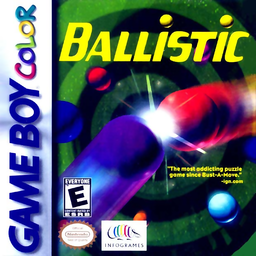
Play Ballistic online on GBC. Rotate a central launcher and fire colored balls into an advancing spiral. Three matching balls disappear, and well-placed shots can trigger chain reactions. Keep the growing line away from the center gate while planning where the next gap will form.
Browser play
Game Boy Color (GBC) — EmulatorJS controls
Default Player 1 keyboard mapping. Change keys in Controller Settings.
| Console button | Keyboard |
|---|---|
| ↑ / ↓ / ← / → | ↑ / ↓ / ← / → |
| A / B | Z / X |
| START / SELECT | Enter / V |
Open Controller Settings to configure your keyboard or gamepad. Touch controls are available on mobile.
How to Play Ballistic
Quick start
Choose 1P GAME and an easy level. Turn with Left/Right and fire with A into a matching pair. Watch the center gate and avoid pressing B while learning.
Controls
Left/Right rotates the launcher; Up/Down moves menu choices. A shoots or confirms. B accelerates the spiral and returns from mode selection. START begins or pauses.
Ballistic — About this game
Ballistic for Game Boy Color. Aim at a useful color group rather than firing as quickly as possible. Removing one group may bring separated colors together for another clear. B speeds the spiral instead of swapping ammunition, so use it only when you want the line to advance.
Ballistic Game manuals
Cheats
No cheats have been added for this edition.
Player verification and sources
Browser play was reviewed before this edition was published in the catalogue. The date below is the catalogue publication date, not the game’s original release date.
- Browser test and catalogue publication date
- Browsers and devices
- PC: Chrome, Edge and Firefox. Mobile: Chrome on Android and Safari on iPhone and iPad.
- Player engine and core
- EmulatorJS 4.3.0-pre · gb
- Tested by
- rwEmulator
Sources and editorial basis
rwEmulator reviews edition metadata, release information, game manuals and first-hand browser-play notes. Available manuals are linked below; the editorial policy explains how facts are checked and corrections are handled.