More browsing paths
Play Baseball Fighter (Japan edition · Japanese) Online
Baseball Fighter
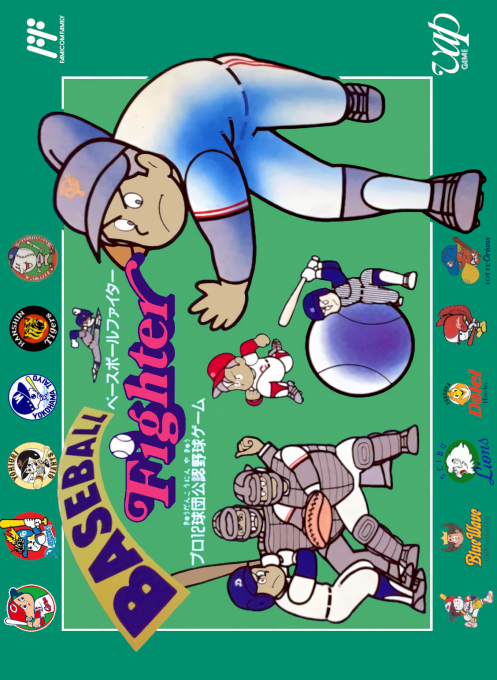
Play Baseball Fighter online. You can control batting, pitching, and defense with real-name players and enjoy single games, long seasons, and performance records.
Browser play
Nintendo Entertainment System (NES) / Famicom — EmulatorJS controls
Default Player 1 keyboard mapping. Change keys in Controller Settings.
| Console button | Keyboard |
|---|---|
| ↑ / ↓ / ← / → | ↑ / ↓ / ← / → |
| A / B | Z / X |
| START / SELECT | Enter / V |
Open Controller Settings to configure your keyboard or gamepad. Touch controls are available on mobile.
How to Play Baseball Fighter
Quick start
First, learn the flow of batting and defense in a single game. His pitches are generally low to the outside, and he varies the pitches without continuing with the same type and course. When batting, he swings after watching the pitcher's release, and when there are runners on base, he refrains from advancing unreasonably. Once you're in a long-term mode, don't fixate on the starting pitcher too much, watch his fatigue and condition and pitch as a substitute, and adjust the batting order while checking his batting average and ERA.
Controls
Use the cross button to move players and select courses, destinations, and menu items. Batting, pitching, throwing, and base running use A/B depending on the situation, but the Japanese strategy guide I was able to refer to does not have a complete button chart for each situation. Prioritize the operation display on the screen, and do not infer base running and return based on the general layout of other works.
Baseball Fighter — About this game
``Baseball Fighter'' is a baseball game for the Famicom based on Japanese professional baseball from 1991, where you control batting, pitching, base running, and fielding. In addition to the one-game play mode, there are long-term seasons and performance records, and it also has a managerial aspect that allows you to consider batting order, pitcher assignments, pinch hitters, and substitute pitches while looking at the abilities of real players. Pitching that carefully uses low outside angles is said to be effective in games against CPU, and it is important not only to use fastballs that rely on force, but also to pitch in and out of the course. The screen display and the tempo of the game had unique characteristics at the time, and the key to reducing the number of runs conceded was to judge the defensive position and where to throw the ball early.
Cheats
No cheats have been added for this edition.
Player verification and sources
Browser play was reviewed before this edition was published in the catalogue. The date below is the catalogue publication date, not the game’s original release date.
- Browser test and catalogue publication date
- Browsers and devices
- PC: Chrome, Edge and Firefox. Mobile: Chrome on Android and Safari on iPhone and iPad.
- Player engine and core
- EmulatorJS 4.3.0-pre · nes
- Tested by
- rwEmulator
Sources and editorial basis
rwEmulator reviews edition metadata, release information, game manuals and first-hand browser-play notes. Available manuals are linked below; the editorial policy explains how facts are checked and corrections are handled.