More browsing paths
Play Battle Storm (Japan edition · Japanese) Online
Battle Storm
We will explain the basic operations of Famicom ``Battle Storm'', weapon selection, movement and attack orders, settings for beginners, and tips for early production and unit operation.
Browser play
Nintendo Entertainment System (NES) / Famicom — EmulatorJS controls
Default Player 1 keyboard mapping. Change keys in Controller Settings.
| Console button | Keyboard |
|---|---|
| ↑ / ↓ / ← / → | ↑ / ↓ / ← / → |
| A / B | Z / X |
| START / SELECT | Enter / V |
Open Controller Settings to configure your keyboard or gamepad. Touch controls are available on mobile.
How to Play Battle Storm
Quick start
For the first time, select the beginner's setting and fill up the production quota first so that you do not run out of power. Select your unit at the bottom of the screen and issue movement orders to nearby enemies or the front lines. The key in the early stages is not to keep chasing just one unit, but to periodically check to see if any units are waiting after completing their orders.
Controls
At the bottom of the screen, switch between weapons with left and right, and check the target in the blue frame. Select a unit with A, move the blue frame to the destination with the cross button, and decide the destination with A. After that, switch the attack target with left and right, and confirm the target with A. The battle continues to progress, so after making a selection, quickly pass orders to the next unit.
Battle Storm — About this game
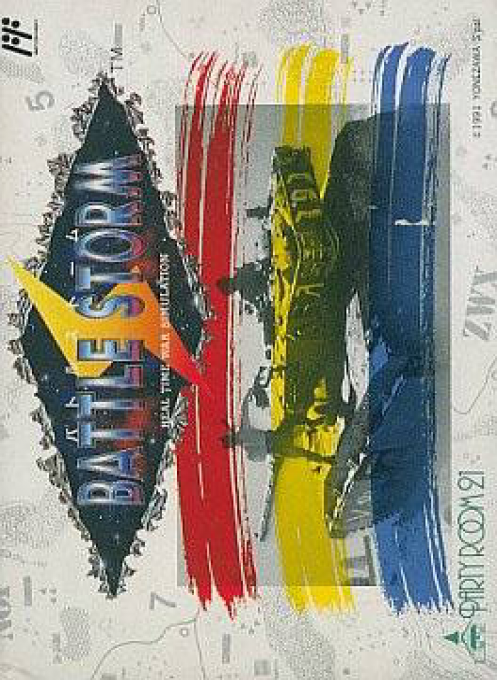
``Battle Storm'' is a real-time strategy game where you produce weapons and specify movement destinations and attack targets one after another while time does not stop on the battlefield. Choose your side from nine battlefields and aim to destroy enemy bases using tanks, helicopters, aircraft, etc. There is a limited weapon configuration for beginners and a setting for advanced players who use all weapons, and resource allocation and continuous instructions to multiple units are important.
Cheats
No cheats have been added for this edition.
Player verification and sources
Browser play was reviewed before this edition was published in the catalogue. The date below is the catalogue publication date, not the game’s original release date.
- Browser test and catalogue publication date
- Browsers and devices
- PC: Chrome, Edge and Firefox. Mobile: Chrome on Android and Safari on iPhone and iPad.
- Player engine and core
- EmulatorJS 4.3.0-pre · nes
- Tested by
- rwEmulator
Sources and editorial basis
rwEmulator reviews edition metadata, release information, game manuals and first-hand browser-play notes. Available manuals are linked below; the editorial policy explains how facts are checked and corrections are handled.