More browsing paths
Play Beastly - Frantic Foto (US edition · English / French / Spanish) Online
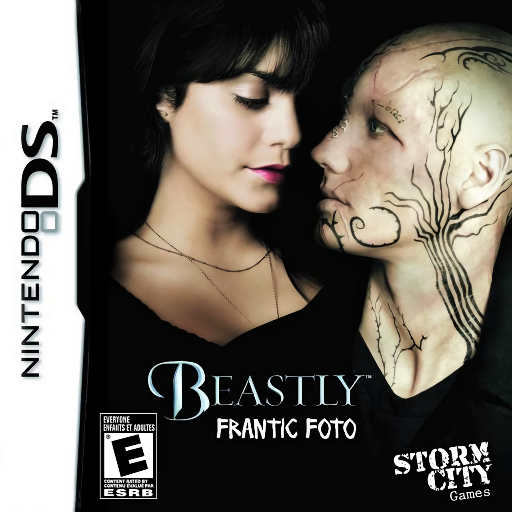
Beastly - Frantic Foto
Play Beastly - Frantic Foto online. Find differences in photographs from Beastly.
Browser play
Nintendo DS (NDS) — EmulatorJS controls
Default Player 1 keyboard mapping. Change keys in Controller Settings.
| Console button | Keyboard |
|---|---|
| ↑ / ↓ / ← / → | ↑ / ↓ / ← / → |
| A / B / X / Y | Z / X / A / S |
| L / R | Q / E |
| START / SELECT | Enter / V |
| Microphone | Not assigned |
Open Controller Settings to configure your keyboard or gamepad. Touch controls are available on mobile.
How to Play Beastly - Frantic Foto
Quick start
Choose an opening puzzle and compare one part of both photos at a time. Mark a difference only after checking it.
Controls
Tap a changed detail with the stylus. Follow the separate on-screen controls when a bonus mini-game begins.
Beastly - Frantic Foto — About this game
Find differences in photographs from Beastly. Compare nearly identical scenes and mark altered details before time runs out. Scan faces, clothing and backgrounds methodically rather than guessing. After five puzzles, a bonus mini-game changes the visual task, so read the new instructions before continuing.
Beastly - Frantic Foto Game manuals
Cheats
No cheats have been added for this edition.
Player verification and sources
Browser play was reviewed before this edition was published in the catalogue. The date below is the catalogue publication date, not the game’s original release date.
- Browser test and catalogue publication date
- Browsers and devices
- PC: Chrome, Edge and Firefox. Mobile: Chrome on Android and Safari on iPhone and iPad.
- Player engine and core
- EmulatorJS 4.3.0-pre · nds
- Tested by
- rwEmulator
Sources and editorial basis
rwEmulator reviews edition metadata, release information, game manuals and first-hand browser-play notes. Available manuals are linked below; the editorial policy explains how facts are checked and corrections are handled.