More browsing paths
Play Beetle Junior DS (Europe edition · English / French / German) Online
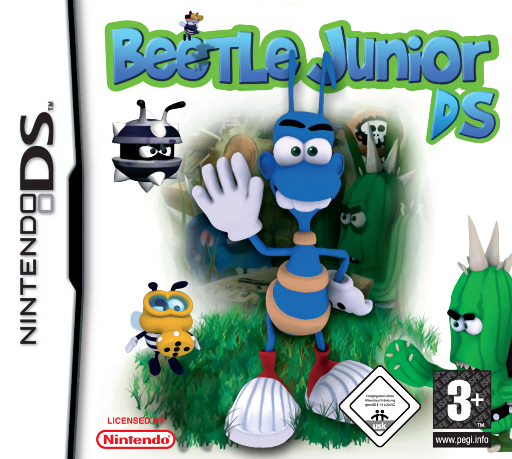
Beetle Junior DS
Play Beetle Junior DS online. Guide Junior through underground hazards and enemy-filled levels.
Browser play
Nintendo DS (NDS) — EmulatorJS controls
Default Player 1 keyboard mapping. Change keys in Controller Settings.
| Console button | Keyboard |
|---|---|
| ↑ / ↓ / ← / → | ↑ / ↓ / ← / → |
| A / B / X / Y | Z / X / A / S |
| L / R | Q / E |
| START / SELECT | Enter / V |
| Microphone | Not assigned |
Open Controller Settings to configure your keyboard or gamepad. Touch controls are available on mobile.
How to Play Beetle Junior DS
Quick start
Begin the first cave and learn movement from its prompts. Clear a safe path before approaching the first enemy or loose rock.
Controls
Use the indicated movement controls to guide Junior. Follow the level’s action hints and watch falling objects before committing to a route.
Beetle Junior DS — About this game
Guide Junior through underground hazards and enemy-filled levels. Move carefully beneath loose rocks and use the environment to deal with creatures blocking the route. More than seventy stages combine timing with planning, so a safe-looking shortcut can become dangerous after the terrain changes. Study what supports a boulder before moving below it.
Beetle Junior DS Game manuals
Cheats
No cheats have been added for this edition.
Player verification and sources
Browser play was reviewed before this edition was published in the catalogue. The date below is the catalogue publication date, not the game’s original release date.
- Browser test and catalogue publication date
- Browsers and devices
- PC: Chrome, Edge and Firefox. Mobile: Chrome on Android and Safari on iPhone and iPad.
- Player engine and core
- EmulatorJS 4.3.0-pre · nds
- Tested by
- rwEmulator
Sources and editorial basis
rwEmulator reviews edition metadata, release information, game manuals and first-hand browser-play notes. Available manuals are linked below; the editorial policy explains how facts are checked and corrections are handled.