More browsing paths
Play Ben 10: Galactic Racing (US edition · English / French / German / Spanish / Italian) Online
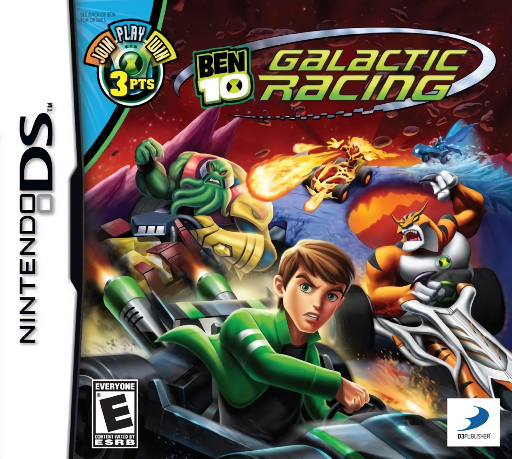
Ben 10 - Galactic Racing
Play Ben 10: Galactic Racing online. Race Ben 10 characters in a galactic kart competition.
Browser play
Nintendo DS (NDS) — EmulatorJS controls
Default Player 1 keyboard mapping. Change keys in Controller Settings.
| Console button | Keyboard |
|---|---|
| ↑ / ↓ / ← / → | ↑ / ↓ / ← / → |
| A / B / X / Y | Z / X / A / S |
| L / R | Q / E |
| START / SELECT | Enter / V |
| Microphone | Not assigned |
Open Controller Settings to configure your keyboard or gamepad. Touch controls are available on mobile.
How to Play Ben 10: Galactic Racing
Quick start
Choose a racer and begin the first available race. Learn the opening corners before attempting a full Grand Prix.
Controls
Use the displayed driving controls for steering, acceleration and braking. Pick up items on track and activate them with the indicated item control when an opponent is in range.
Ben 10: Galactic Racing — About this game
Race Ben 10 characters in a galactic kart competition. Planet-themed tracks mix corners and hazards with items that can change the running order. A Grand Prix asks for consistent results across its races, not only one good lap. Learn a safe line before risking an attack or shortcut, and use earned trophies to open more tracks.
Ben 10: Galactic Racing Game manuals
Cheats
No cheats have been added for this edition.
Player verification and sources
Browser play was reviewed before this edition was published in the catalogue. The date below is the catalogue publication date, not the game’s original release date.
- Browser test and catalogue publication date
- Browsers and devices
- PC: Chrome, Edge and Firefox. Mobile: Chrome on Android and Safari on iPhone and iPad.
- Player engine and core
- EmulatorJS 4.3.0-pre · nds
- Tested by
- rwEmulator
Sources and editorial basis
rwEmulator reviews edition metadata, release information, game manuals and first-hand browser-play notes. Available manuals are linked below; the editorial policy explains how facts are checked and corrections are handled.