More browsing paths
Play Bermuda Triangle - Saving the Coral (US edition · English) Online
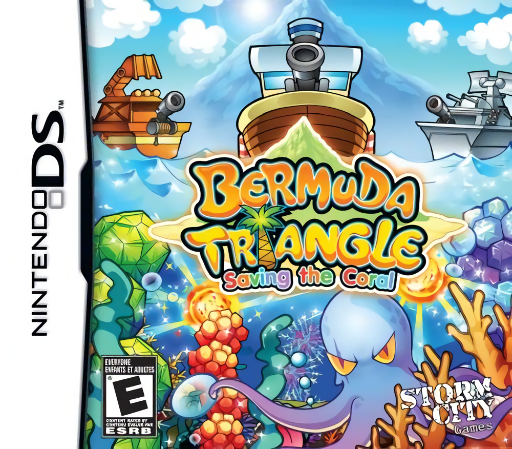
Bermuda Triangle - Saving the Coral
Play Bermuda Triangle - Saving the Coral online. Grow coral by lining up floating gems.
Browser play
Nintendo DS (NDS) — EmulatorJS controls
Default Player 1 keyboard mapping. Change keys in Controller Settings.
| Console button | Keyboard |
|---|---|
| ↑ / ↓ / ← / → | ↑ / ↓ / ← / → |
| A / B / X / Y | Z / X / A / S |
| L / R | Q / E |
| START / SELECT | Enter / V |
| Microphone | Not assigned |
Open Controller Settings to configure your keyboard or gamepad. Touch controls are available on mobile.
How to Play Bermuda Triangle - Saving the Coral
Quick start
Begin Story and watch how the first gems float upward. Build one matching row, then follow the coral growth goal before rushing more shots.
Controls
Choose the stylus or Control Pad and button control option. Position the boat and fire using that scheme’s instructions; check the next gem’s colour and target column before shooting.
Bermuda Triangle - Saving the Coral — About this game
Grow coral by lining up floating gems. Your boat fires pieces into the water, where they rise toward the surface instead of falling. Three matching gems in a row disappear and release nutrients for the coral below. Crowded columns force pieces into lower positions, so plan where a shot will settle. Complete the coral goal in Story, then try timed or endless scoring.
Bermuda Triangle - Saving the Coral Game manuals
Cheats
No cheats have been added for this edition.
Player verification and sources
Browser play was reviewed before this edition was published in the catalogue. The date below is the catalogue publication date, not the game’s original release date.
- Browser test and catalogue publication date
- Browsers and devices
- PC: Chrome, Edge and Firefox. Mobile: Chrome on Android and Safari on iPhone and iPad.
- Player engine and core
- EmulatorJS 4.3.0-pre · nds
- Tested by
- rwEmulator
Sources and editorial basis
rwEmulator reviews edition metadata, release information, game manuals and first-hand browser-play notes. Available manuals are linked below; the editorial policy explains how facts are checked and corrections are handled.