More browsing paths
Play Best Play Pro Yakyuu (Japan edition · Japanese) Online
Best Play Pro Yakyuu
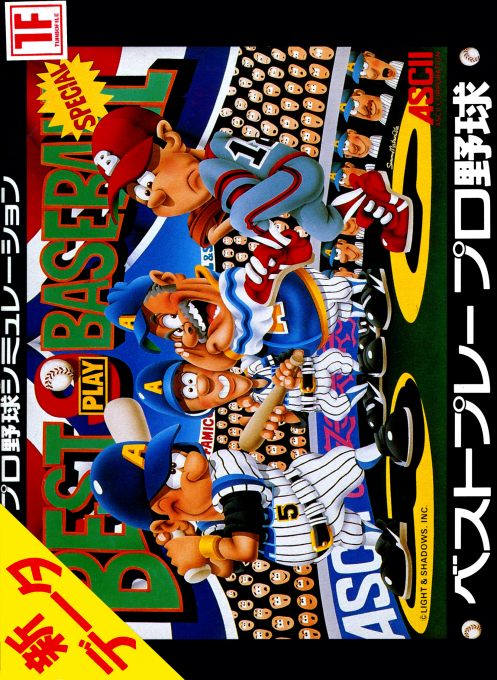
We will explain how to start the first version of ``Best Play Professional Baseball'', how to organize the manager, batting and fielding signs, player editing, and how to proceed with official games.
Browser play
Nintendo Entertainment System (NES) / Famicom — EmulatorJS controls
Default Player 1 keyboard mapping. Change keys in Controller Settings.
| Console button | Keyboard |
|---|---|
| ↑ / ↓ / ← / → | ↑ / ↓ / ← / → |
| A / B | Z / X |
| START / SELECT | Enter / V |
Open Controller Settings to configure your keyboard or gamepad. Touch controls are available on mobile.
How to Play Best Play Pro Yakyuu
Quick start
Determine the team in charge using league data and select the number of games from the schedule. At first, try out the batting order, starting pitcher, pinch hitter, and pitcher changes in the open game, and once you get used to it, move on to the official game. When attacking, before pitching, top = bunt, bottom = end run, left = squeeze, right = stolen base, while defending, top = runner warning, bottom = batter warning, left = shy away, right = signature cancellation.
Controls
D-pad: Enter menus, cursor movement, and strategy direction during matches. A button: When deciding on an item or editing player data, hold it down and use the cross keys to change the value. B button: Cancel/return to previous screen. During a game, use the cross key input before pitching to specify attack and defense signals.
Best Play Pro Yakyuu — About this game
``Best Play Professional Baseball'' is a baseball simulation for the Famicom where you lead your team as a manager, rather than controlling batting and defense. We monitor player ability, batting order, fielding positions, starting pitchers and substitute pitchers, and during games we send out signals such as bunts, end runs, squeezes, stolen bases, runner warnings, batter warnings, and shunning. The official matches proceed according to the set number of matches, and team rankings and individual results are tallied. You can also edit player names, manager names, abilities, and uniforms, allowing you to enjoy managing your own league.
Cheats
No cheats have been added for this edition.
Player verification and sources
Browser play was reviewed before this edition was published in the catalogue. The date below is the catalogue publication date, not the game’s original release date.
- Browser test and catalogue publication date
- Browsers and devices
- PC: Chrome, Edge and Firefox. Mobile: Chrome on Android and Safari on iPhone and iPad.
- Player engine and core
- EmulatorJS 4.3.0-pre · nes
- Tested by
- rwEmulator
Sources and editorial basis
rwEmulator reviews edition metadata, release information, game manuals and first-hand browser-play notes. Available manuals are linked below; the editorial policy explains how facts are checked and corrections are handled.