More browsing paths
Play Big Mutha Truckers (US edition) Online
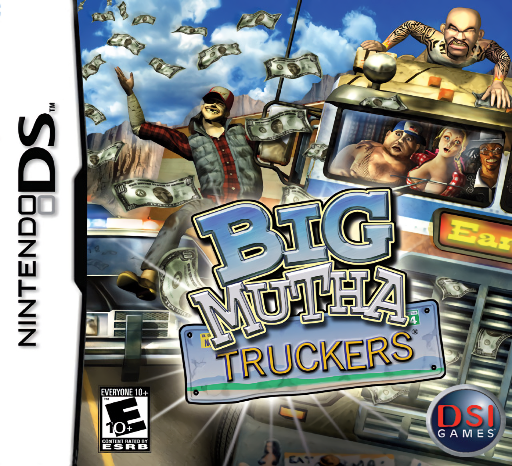
Big Mutha Truckers
Play Big Mutha Truckers online. Drive a big rig while trying to turn cargo into profit.
Browser play
Nintendo DS (NDS) — EmulatorJS controls
Default Player 1 keyboard mapping. Change keys in Controller Settings.
| Console button | Keyboard |
|---|---|
| ↑ / ↓ / ← / → | ↑ / ↓ / ← / → |
| A / B / X / Y | Z / X / A / S |
| L / R | Q / E |
| START / SELECT | Enter / V |
| Microphone | Not assigned |
Open Controller Settings to configure your keyboard or gamepad. Touch controls are available on mobile.
How to Play Big Mutha Truckers
Quick start
Choose a driver and begin the opening haul. Review the cargo and destination, then practise a slow turn before heading onto a longer route.
Controls
Steer with the Control Pad and use the driving buttons shown for acceleration and braking. Consult the lower-screen map for the route and choose trade options at stops; this is not stylus steering.
Big Mutha Truckers — About this game
Drive a big rig while trying to turn cargo into profit. Buying, hauling and selling goods gives each trip a purpose beyond reaching the next town, while traffic and awkward turns demand care on the road. Compare a potential sale with the journey needed to reach it rather than buying at random. The DS lower screen mainly serves as a map, helping connect the next destination with your driving route.
Big Mutha Truckers Game manuals
Cheats
No cheats have been added for this edition.
Player verification and sources
Browser play was reviewed before this edition was published in the catalogue. The date below is the catalogue publication date, not the game’s original release date.
- Browser test and catalogue publication date
- Browsers and devices
- PC: Chrome, Edge and Firefox. Mobile: Chrome on Android and Safari on iPhone and iPad.
- Player engine and core
- EmulatorJS 4.3.0-pre · nds
- Tested by
- rwEmulator
Sources and editorial basis
rwEmulator reviews edition metadata, release information, game manuals and first-hand browser-play notes. Available manuals are linked below; the editorial policy explains how facts are checked and corrections are handled.