More browsing paths
Play Big Word Puzzle Book (Europe edition · English / French / German / Spanish / Italian) Online
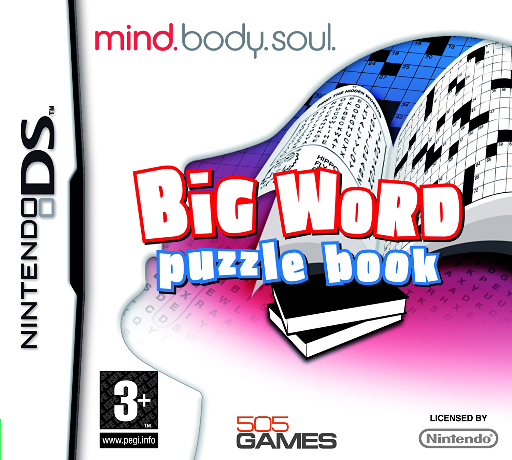
Big Word Puzzle Book
Play Big Word Puzzle Book online. Try eight stylus-based word games, choose a suitable difficulty and use hints or solutions when a letter puzzle holds you up.
Browser play
Nintendo DS (NDS) — EmulatorJS controls
Default Player 1 keyboard mapping. Change keys in Controller Settings.
| Console button | Keyboard |
|---|---|
| ↑ / ↓ / ← / → | ↑ / ↓ / ← / → |
| A / B / X / Y | Z / X / A / S |
| L / R | Q / E |
| START / SELECT | Enter / V |
| Microphone | Not assigned |
Open Controller Settings to configure your keyboard or gamepad. Touch controls are available on mobile.
How to Play Big Word Puzzle Book
Quick start
Choose a word game and start on a lower difficulty. Wordsearch is a clear first exercise: read the list, locate a short word and trace or select it as the screen directs. Check the result before moving to another word. In hangman, choose letters to narrow the answer. If stuck, try the game's hint, then inspect the solution only when you want to move on.
Controls
DS: use the stylus to choose a puzzle type, difficulty and the displayed letter or answer choices. Follow the wordsearch prompt to mark a found word and the hangman prompt to choose letters. Access hints or solutions through the on-screen options. The entry gesture depends on the selected word game.
Big Word Puzzle Book — About this game
Big Word Puzzle Book collects eight word-game variations on DS, including hangman and wordsearch. Rather than following a story, you choose a type of letter challenge and a difficulty that suits your session. A wordsearch calls for finding listed words within a larger letter grid; hangman turns attention toward choosing letters and narrowing a hidden word. The stylus keeps selections and answers on the touch interface. Hints and solutions are available during play, letting you take a little help or examine the answer before trying another puzzle. Switching between types changes the way you use vocabulary, from spotting an existing word to testing possibilities for one you cannot yet see.
Big Word Puzzle Book Game manuals
Cheats
No cheats have been added for this edition.
Player verification and sources
Browser play was reviewed before this edition was published in the catalogue. The date below is the catalogue publication date, not the game’s original release date.
- Browser test and catalogue publication date
- Browsers and devices
- PC: Chrome, Edge and Firefox. Mobile: Chrome on Android and Safari on iPhone and iPad.
- Player engine and core
- EmulatorJS 4.3.0-pre · nds
- Tested by
- rwEmulator
Sources and editorial basis
rwEmulator reviews edition metadata, release information, game manuals and first-hand browser-play notes. Available manuals are linked below; the editorial policy explains how facts are checked and corrections are handled.