More browsing paths
Play Bigfoot: Collision Course (US edition · English) Online
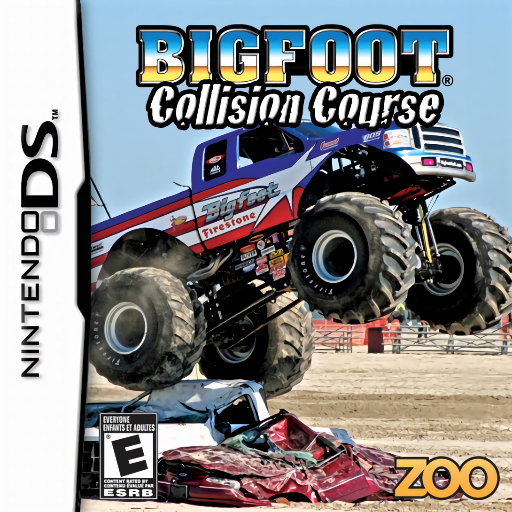
Bigfoot - Collision Course
Play Bigfoot: Collision Course online. Race monster trucks through desert, forest and snow courses.
Browser play
Nintendo DS (NDS) — EmulatorJS controls
Default Player 1 keyboard mapping. Change keys in Controller Settings.
| Console button | Keyboard |
|---|---|
| ↑ / ↓ / ← / → | ↑ / ↓ / ← / → |
| A / B / X / Y | Z / X / A / S |
| L / R | Q / E |
| START / SELECT | Enter / V |
| Microphone | Not assigned |
Open Controller Settings to configure your keyboard or gamepad. Touch controls are available on mobile.
How to Play Bigfoot: Collision Course
Quick start
Choose Practice or the first Career event. Learn one circuit’s corners and test which objects break before committing to a full-speed line.
Controls
Steer with the Control Pad and use the displayed driving buttons for acceleration and braking. Brake before tight bends, crush suitable objects to build boost and watch for the automatic burst when the meter fills.
Bigfoot: Collision Course — About this game
Race monster trucks through desert, forest and snow courses. Breakable obstacles can fill a boost meter, but getting caught on scenery still costs position. Heavy steering makes braking before a corner more useful than forcing a turn at full speed. Practice teaches the routes, while Career wins unlock trucks with different statistics and further races.
Bigfoot: Collision Course Game manuals
Cheats
No cheats have been added for this edition.
Player verification and sources
Browser play was reviewed before this edition was published in the catalogue. The date below is the catalogue publication date, not the game’s original release date.
- Browser test and catalogue publication date
- Browsers and devices
- PC: Chrome, Edge and Firefox. Mobile: Chrome on Android and Safari on iPhone and iPad.
- Player engine and core
- EmulatorJS 4.3.0-pre · nds
- Tested by
- rwEmulator
Sources and editorial basis
rwEmulator reviews edition metadata, release information, game manuals and first-hand browser-play notes. Available manuals are linked below; the editorial policy explains how facts are checked and corrections are handled.